Plan and billing
The Plan and billing page shows which plan your workspace is on, what the plan includes and how much of it you use. The person who pays can also open their invoices, change the plan or buy a bigger one from here.
Who can use it
- An owner or an admin can open the page and read it.
- The person who pays for the workspace is called the billing contact. They can read the page whatever their role. They are the only person who sees the buttons.
- If you pay but you are a member, you still find Plan and billing: in the account menu at the top right, in the search box, in the Workspace settings menu, in the settings search of a product and on your workspace card. You still cannot open Audit log or Email providers, and Workspace details stays view only.
- Other members do not see a Plan and billing link.
Billing happens in SureCart, the store you bought the plan in. IvaBoard shows a summary and sends you there already signed in. It does not show your card details.
Open Plan and billing
- In the sidebar, select Workspace settings.
- Select Plan and billing.
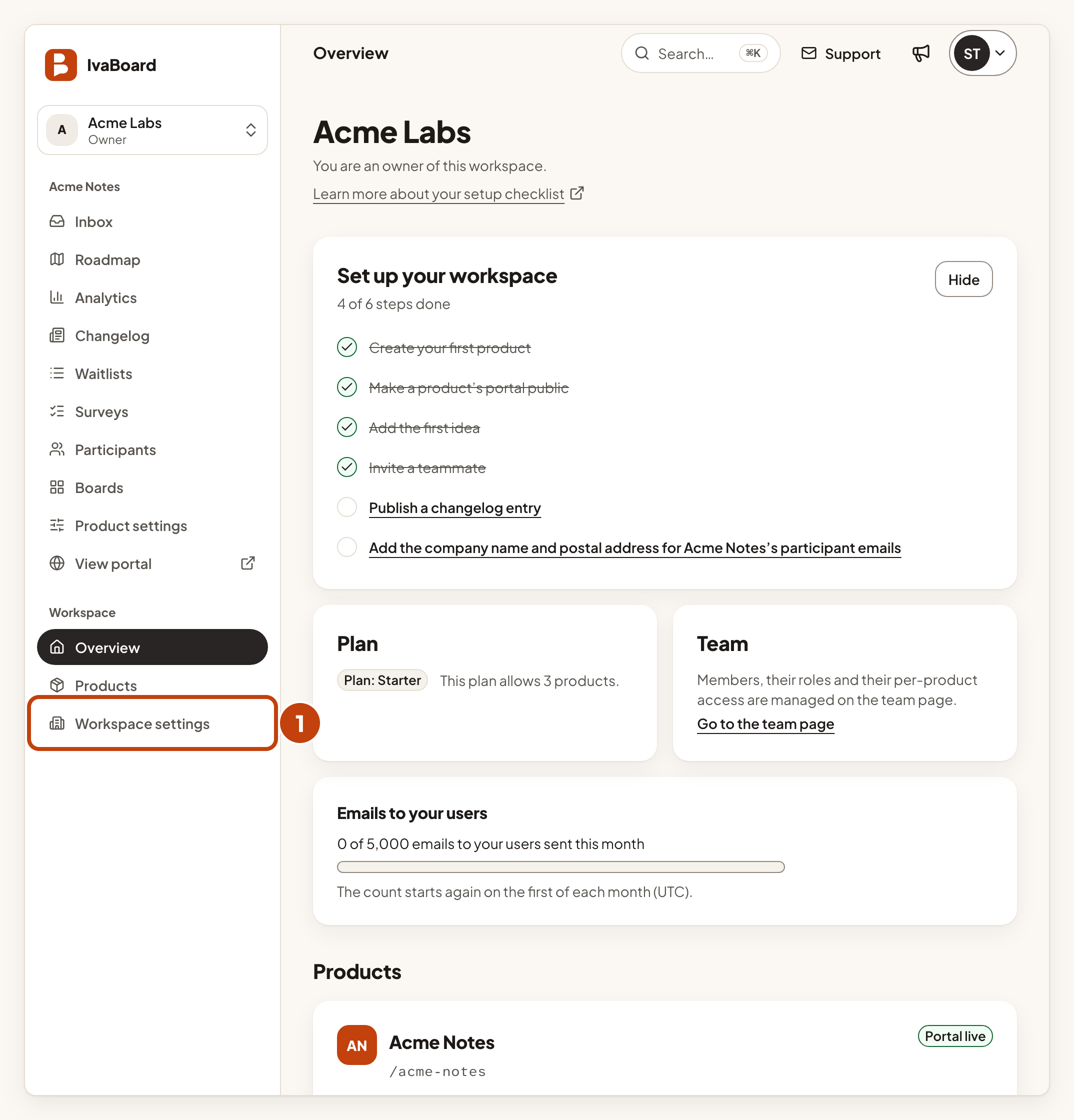
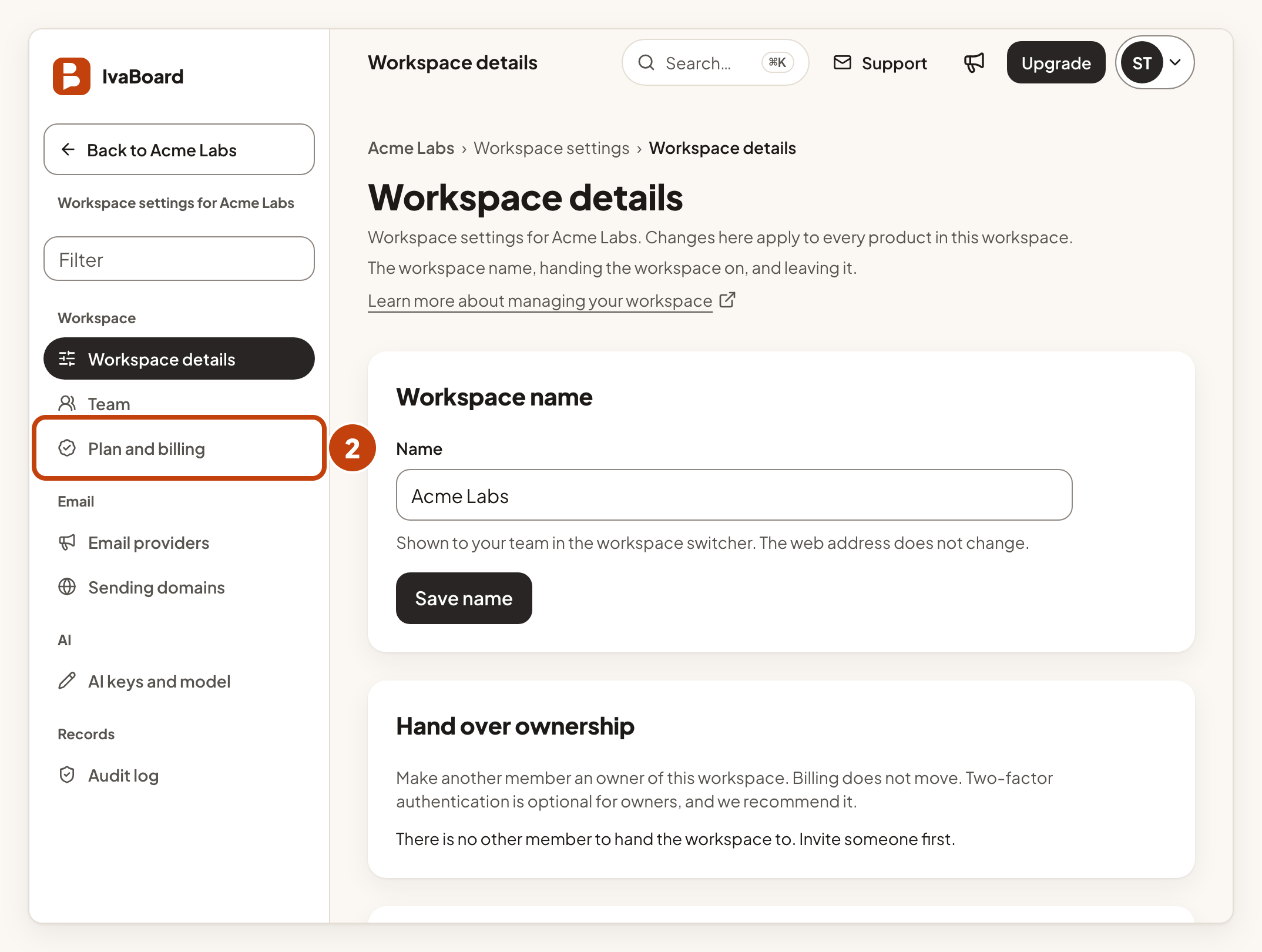
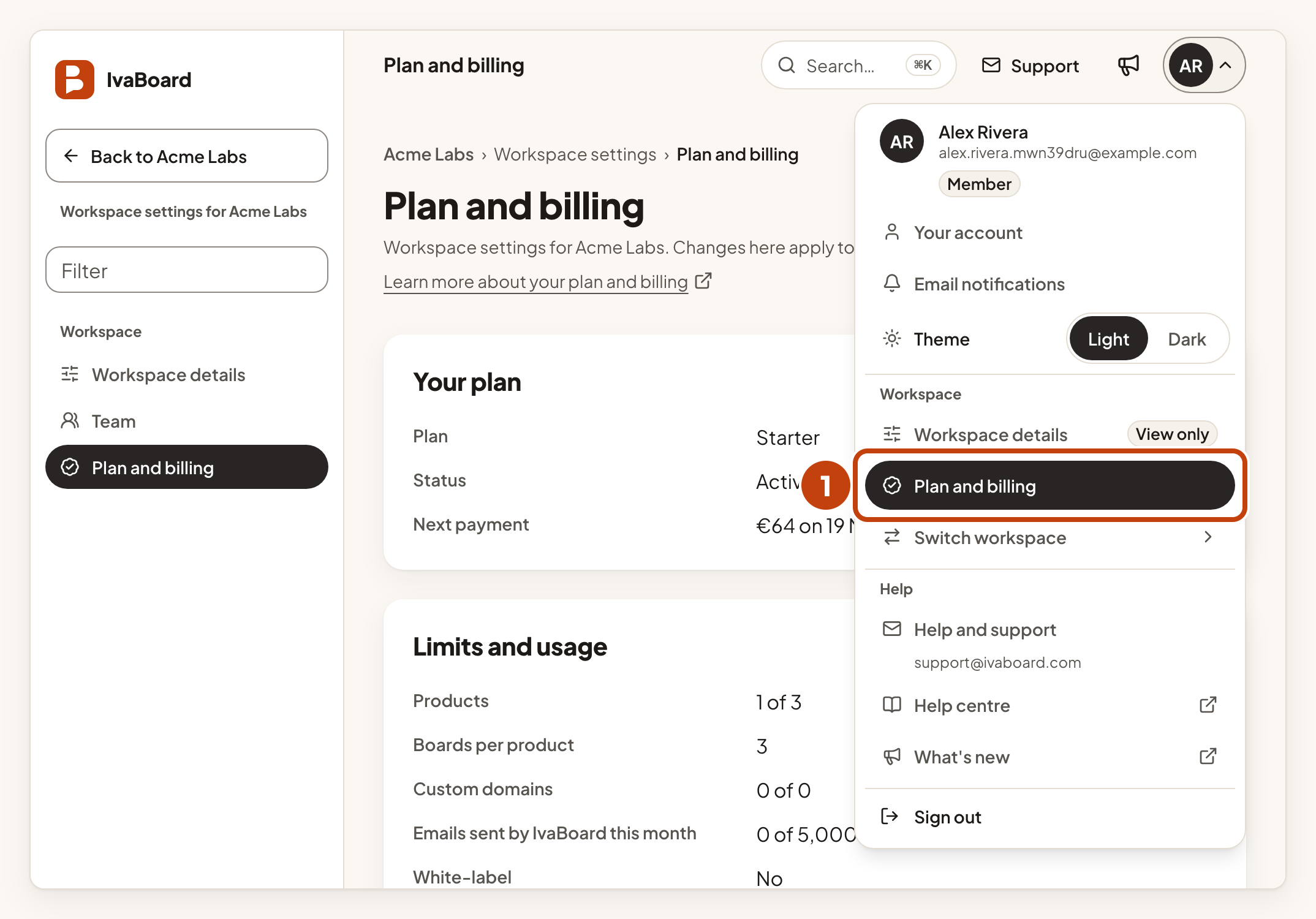
If you pay for the workspace but you are a member, you can also open it from the account menu: select your avatar at the top right, then Plan and billing.
Read your plan
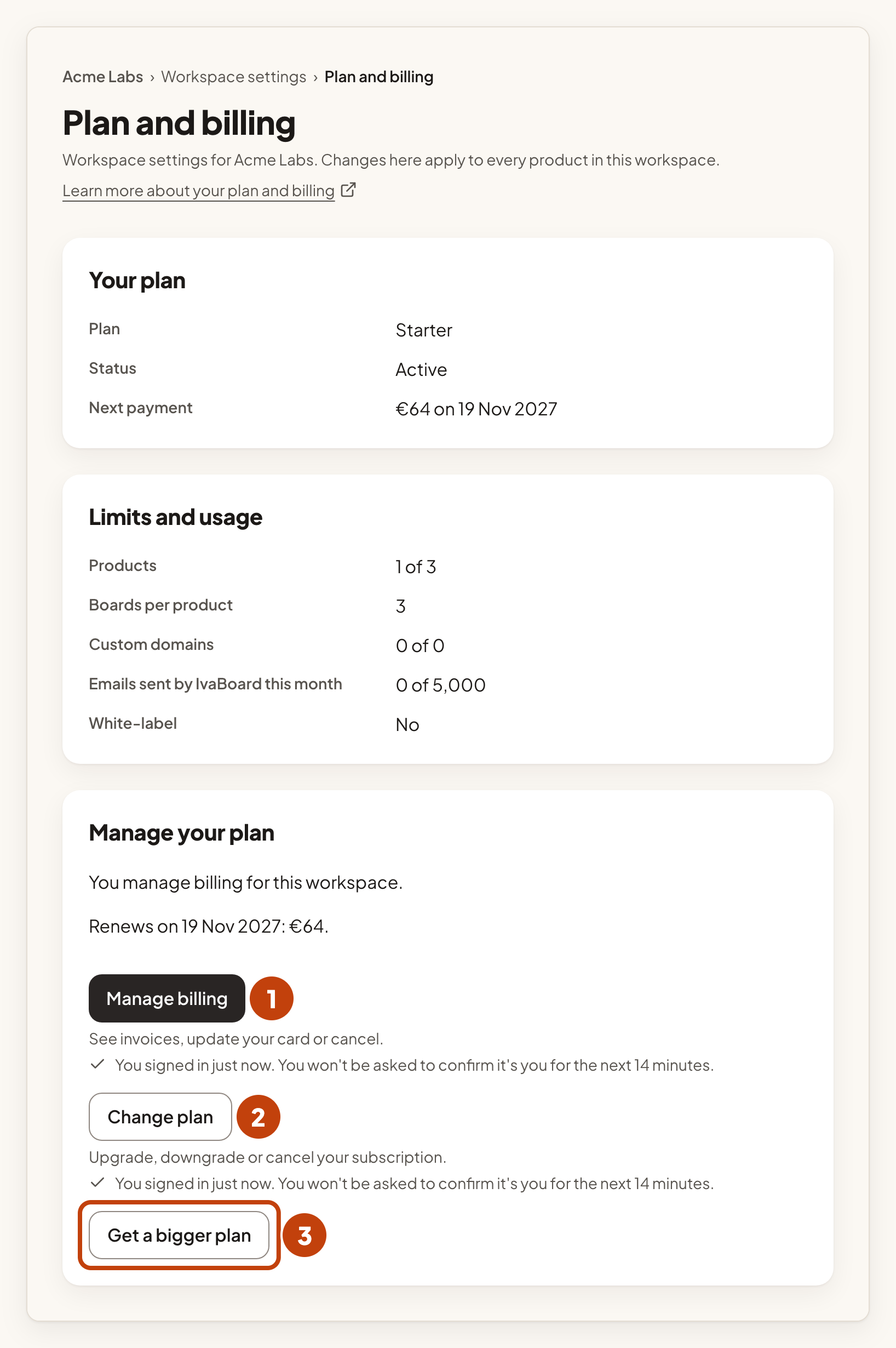
The Your plan section lists:
- Plan: the name of your plan.
- Status: how the plan stands. See the table below.
- Next payment: the amount and the date, when there is a next payment.
| Status | What it means |
|---|---|
| Active | The plan is paid and running. |
| Payment failed. We will try again. Please update your card. | The last payment did not go through. Update your card under Manage billing. |
| Paid in full | The plan is paid and nothing else is due. |
| 2 of 6 payments left. The next one is a set amount on a date. | A lifetime plan you pay in instalments. |
| Cancels on a date | You cancelled. The plan runs until that date. |
| Cancelled | The subscription has ended. |
| Waiting for the first payment | The plan is not paid yet. |
| Read-only until a date | The plan ended. You can read and export your data until that date. |
| Closed | The workspace is closed. |
Only a subscription shows Next payment. A lifetime plan does not renew.
See what your plan includes
The Limits and usage section sets what the plan allows against what you use now:
- Products: for example 2 of 3.
- Boards per product: a number, or Unlimited.
- Custom domains: for example 0 of 10.
- Emails sent by IvaBoard this month: for example 120 of 5,000. A lifetime plan shows Your own email provider, because it sends through your own provider. See Connect your email provider.
- White-label: Yes or No.
Open invoices, update a card or change your plan
Only the billing contact sees the Manage your plan section. It says You manage billing for this workspace.
- Select Manage billing to see invoices, update your card or cancel.
- Select Change plan to upgrade, downgrade or cancel your subscription.
- Select Get a bigger plan to see the bigger plans you can buy. Choose one. IvaBoard attaches it to this workspace.
SureCart opens in the same tab.
Buying a bigger plan or renewing needs the owner role. If you are the billing contact but not an owner, the page says so. Ask an owner of the workspace to make you an owner.
If you pay a lifetime plan in instalments, Change plan reads Manage payments. The line under it says: "If you stop the remaining payments, your lifetime plan ends and this workspace becomes read-only unless another plan is still active."
Where is the receipt? SureCart emails a receipt when you pay. Manage billing shows your invoices.
See who manages billing
People who can open the page and are not the billing contact see Who manages billing:
- Billing is managed by a name: that person pays and sees the buttons.
- Billing is managed outside this team: the person who pays is no longer a member. Contact [email protected].
- Billing has not been claimed yet: when the person who bought the plan accepts the invitation, they manage it here.
A workspace that is not on a paid plan shows This workspace is not on a paid plan.
When a plan ends
When a plan ends the workspace becomes read-only for a time. The page then shows:
- Download your data, with a link for each product, and the date the read-only period ends.
- Renew your plan, to the billing contact who is an owner: Buy a plan to reopen this workspace. Your data is still here.
- Deletion, when a date is set: the workspace and all its data are deleted around that date unless a plan is bought. Buying a plan at any time before then keeps everything.
See Export your data and Delete your workspace.
Example
For example, Sam Taylor is the owner of Acme Labs and pays for it. Sam opens Workspace settings, then Plan and billing. The page shows the plan, Status Active and Next payment. Sam selects Manage billing to download an invoice. Later Sam selects Get a bigger plan and chooses the next plan up.