Ideas and the review inbox
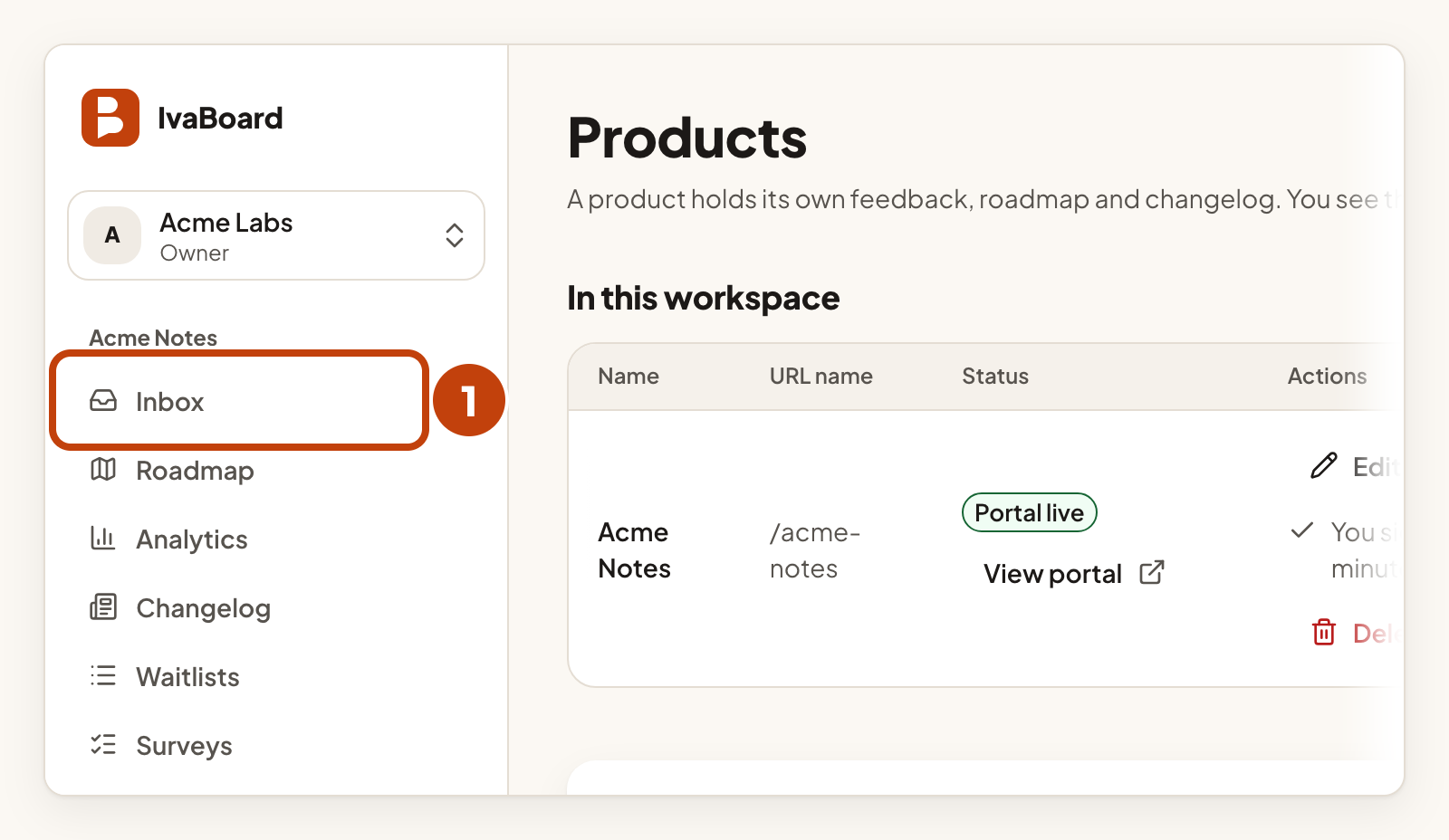
An idea is what a customer posts on a board: a title and, optionally, some details. Depending on the board, a new idea appears at once or waits for your team to publish it. Each product has its own Inbox, where you review its ideas.
Who can use it
All plans. Owners, admins, and the Manager or Moderator of a product can publish, decline, hide, restore and edit ideas, and post on a customer’s behalf. A Viewer can see ideas but cannot change them.
How new ideas arrive
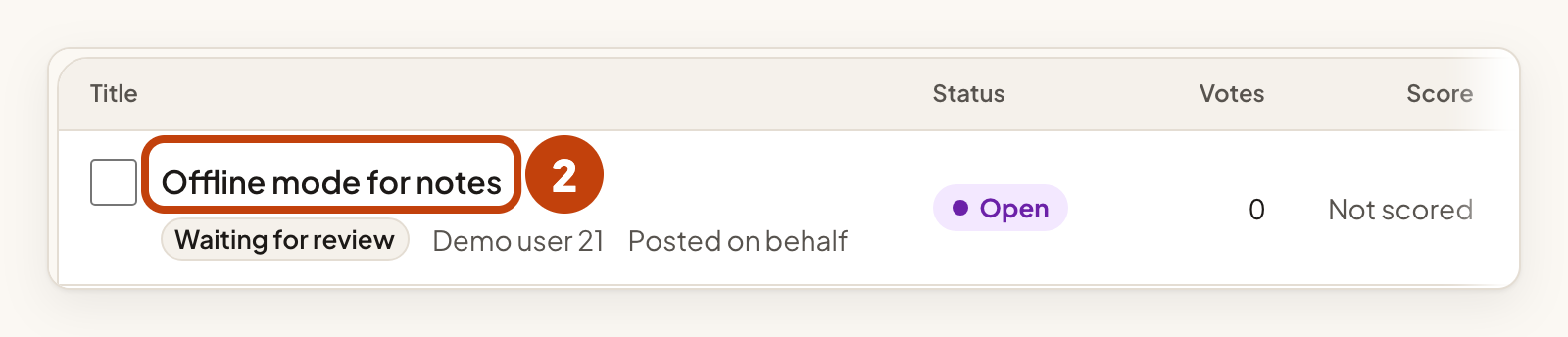
In a board's settings, New ideas is set to Publish immediately or Review before it appears. With review on, a new idea shows Waiting for review. Customers cannot see it until you publish it.
Each customer can post up to 5 ideas an hour and 20 ideas a day on a product. A customer can edit their own idea for 30 minutes after posting, until someone else votes on it or your team edits it. After your team declines or hides the idea, or publishes it from a board that reviews new ideas, the customer can no longer edit it.
Review an idea
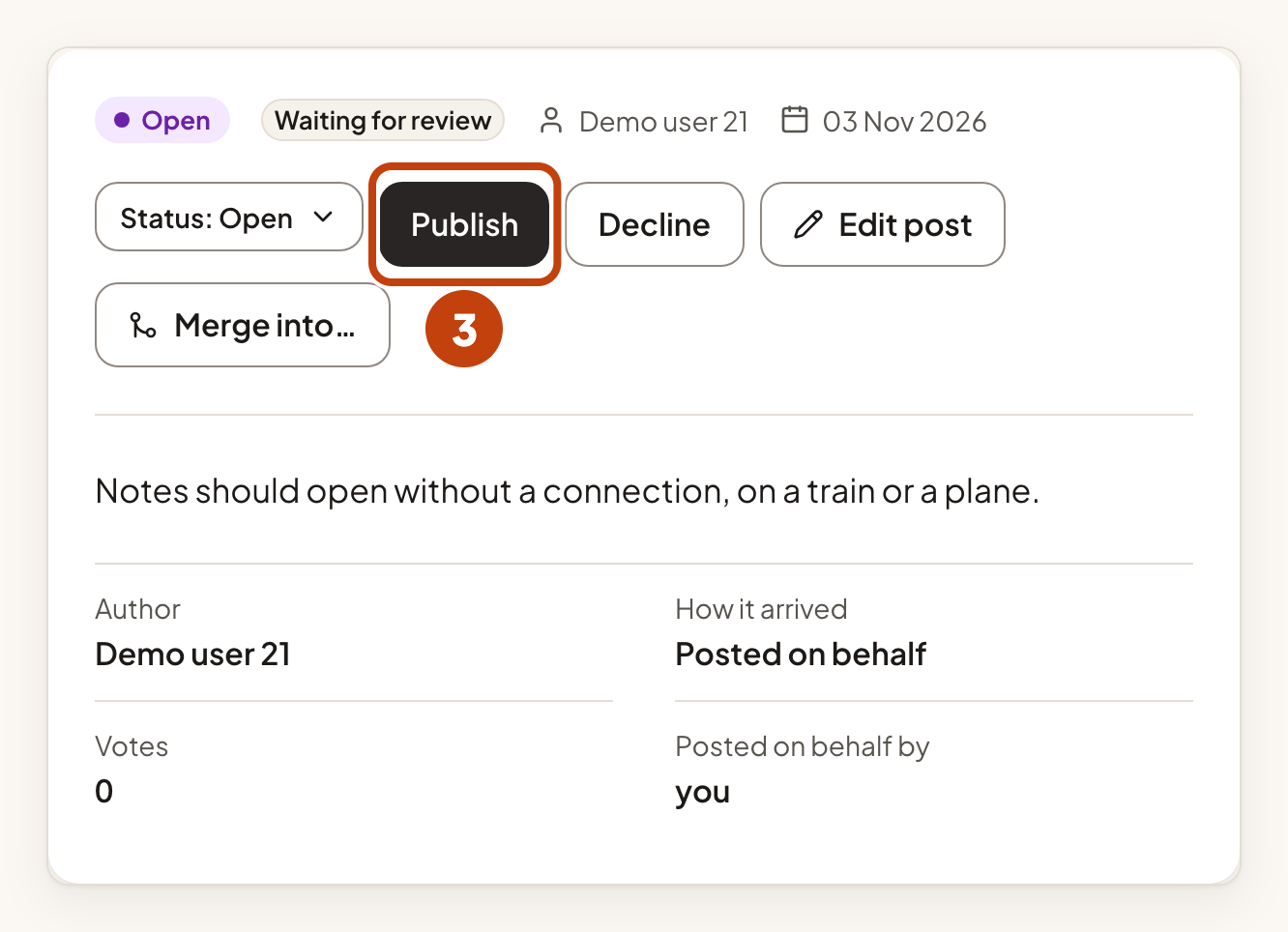
Each idea has one of these states: Waiting for review, Published, Declined, Hidden or Merged. The buttons you see depend on the state.
To publish an idea:
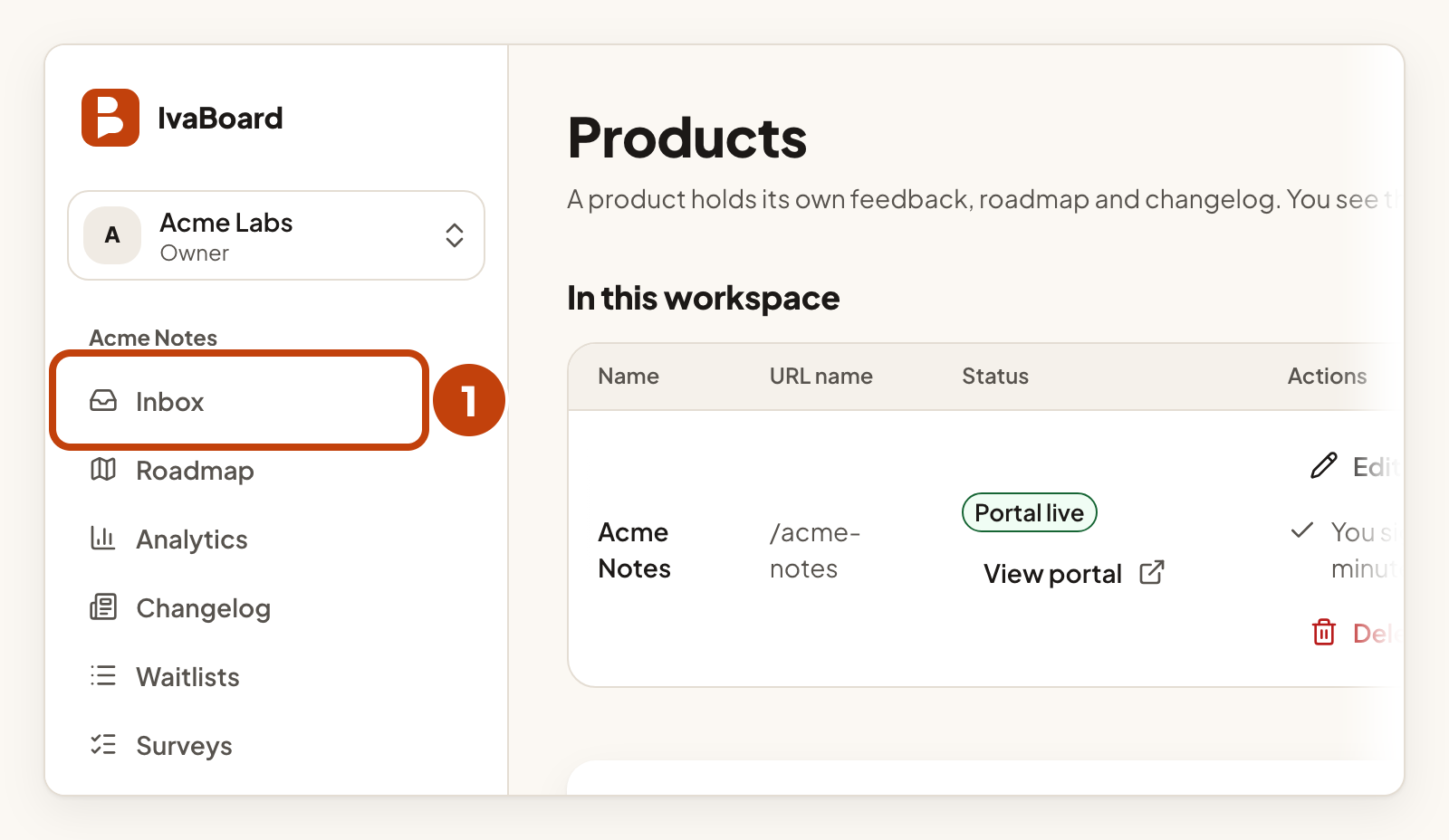
- Open the product's Inbox.
- Select the idea's title.
- Select Publish. The idea appears on your portal.
To decline or hide an idea (an idea that is waiting for review has only Decline):
- Select the idea's title in the Inbox.
- Select Decline or Hide. A dialog opens.
- Choose a Reason: Duplicate, Off topic, Abusive, Spam, Not planned, Needs more detail or Other.
- Optional: type a Note for the author. It can hold up to 500 characters.
- Select Decline idea or Hide idea.

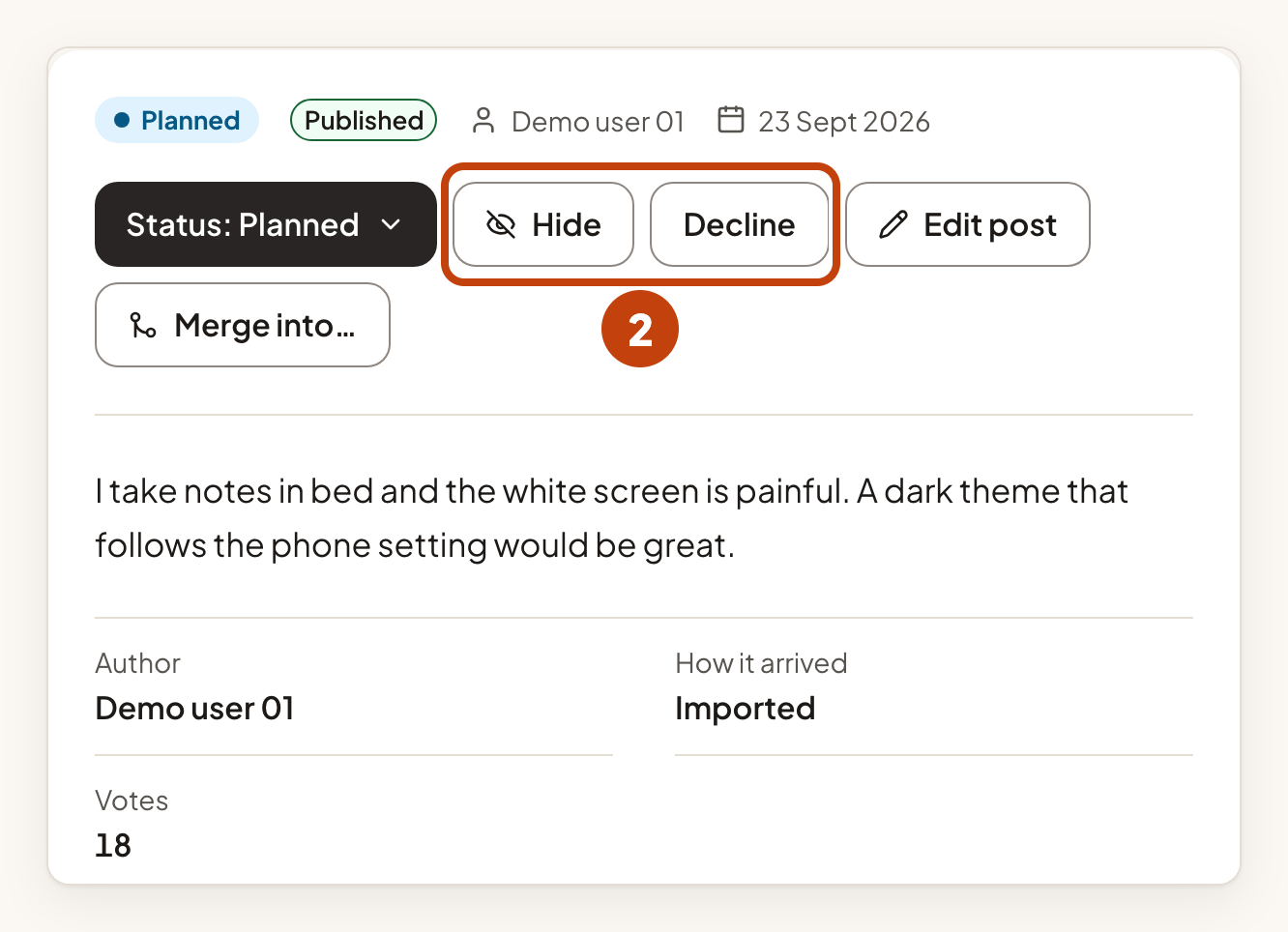
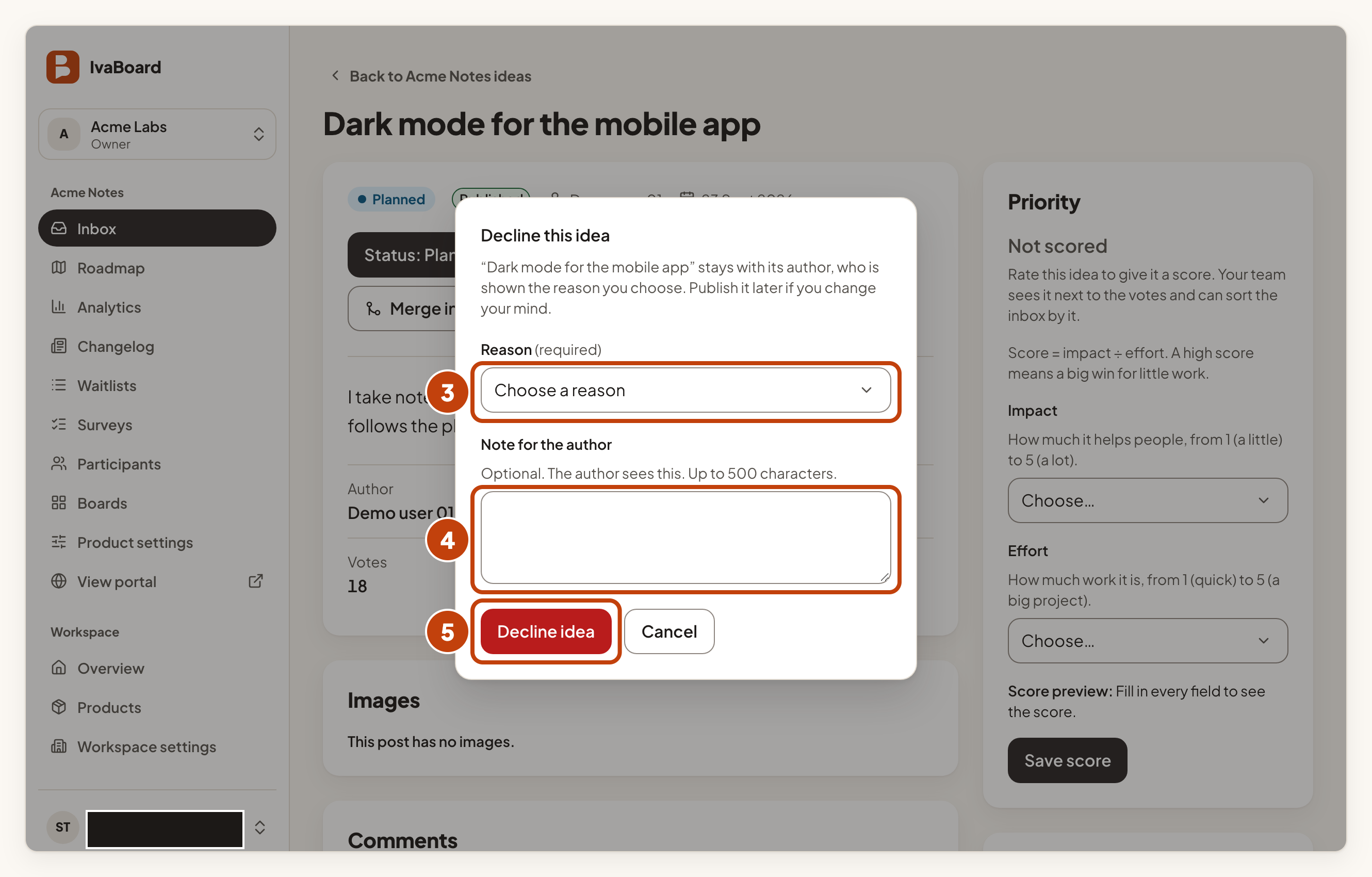
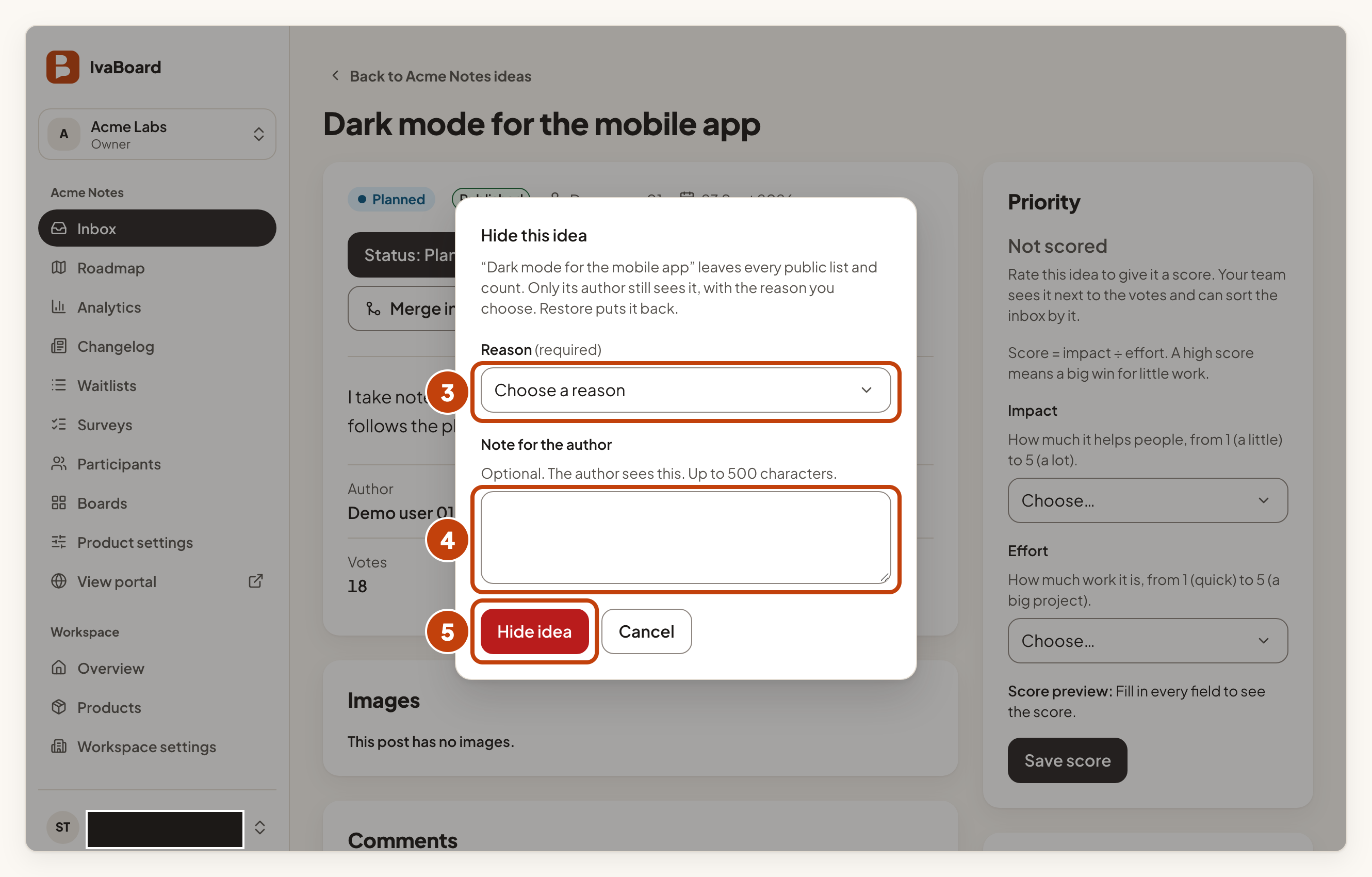
A declined idea stays with its author, who sees your reason. You can publish it later. A hidden idea leaves every public list and count, and only its author still sees it, with your reason. Select Restore to put a hidden idea back.
Find ideas
If the filter options are hidden, select Filters first.
- Choose the filters you want, for example Moderation state set to Waiting for review.
- Select Apply filters.
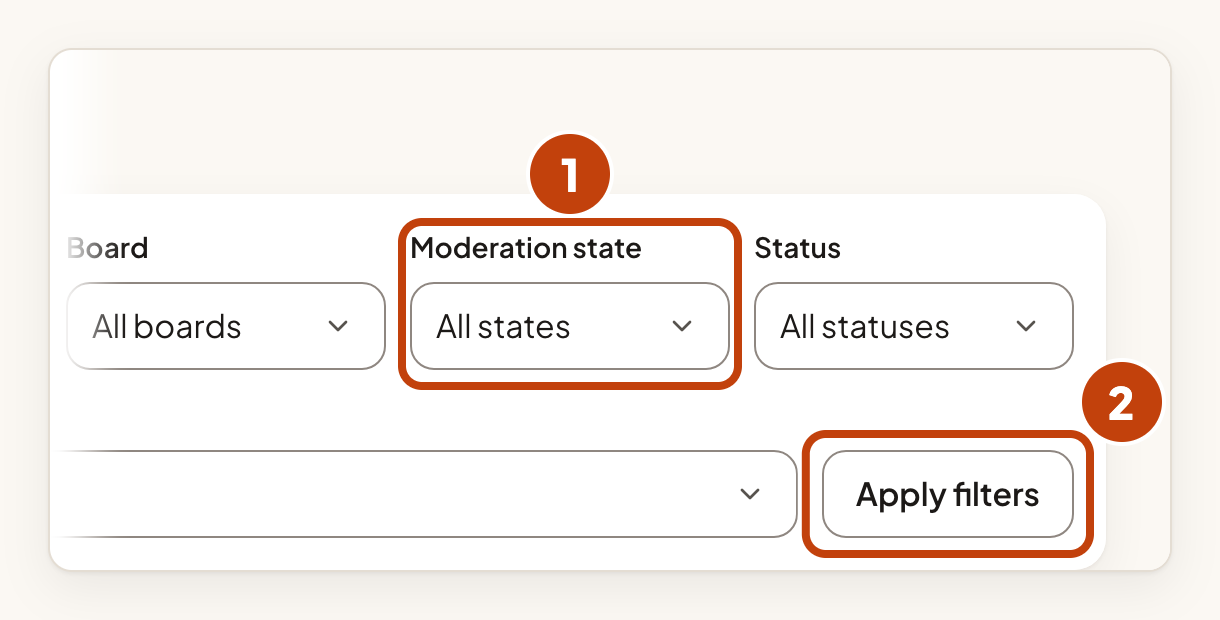
To start again, select Clear all filters. You can also type in Search ideas. See Search, filter and sort ideas for more.
Edit an idea
- Select Edit post on the idea.
- Change the Title (3 to 120 characters), the Details (up to 5000 characters), or both.
- Select Save changes.
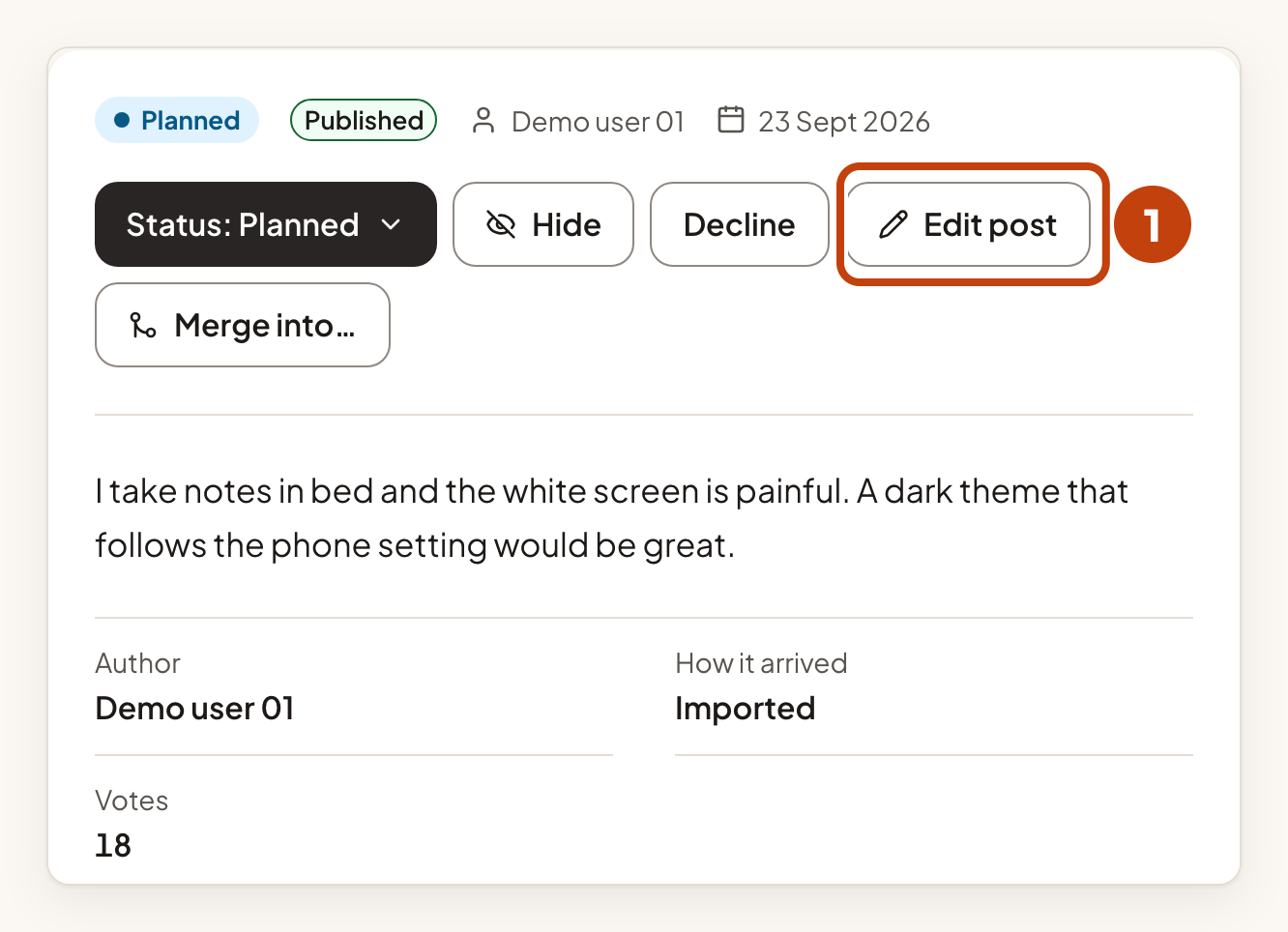
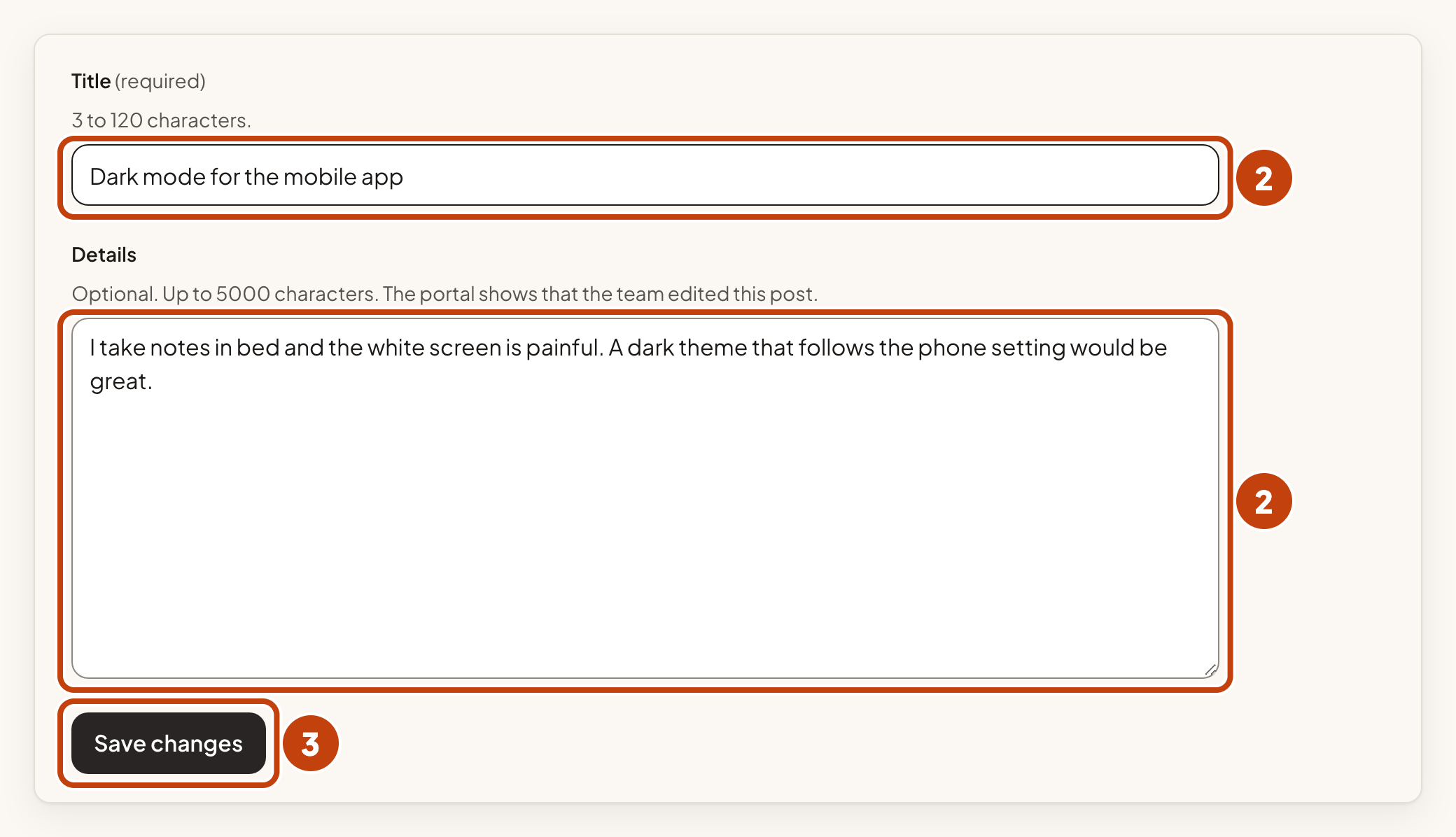
Customers see Edited by the product team on the idea. A merged idea can no longer be edited.
Post on a customer’s behalf
If a customer sent you feedback another way, you can post it for them.
- Open the product's Inbox.
- Under Post on a customer’s behalf, choose the Board.
- Type the Customer name. Do not type an email address.
- Type the Title.
- Type the Details.
- Select Post on their behalf.
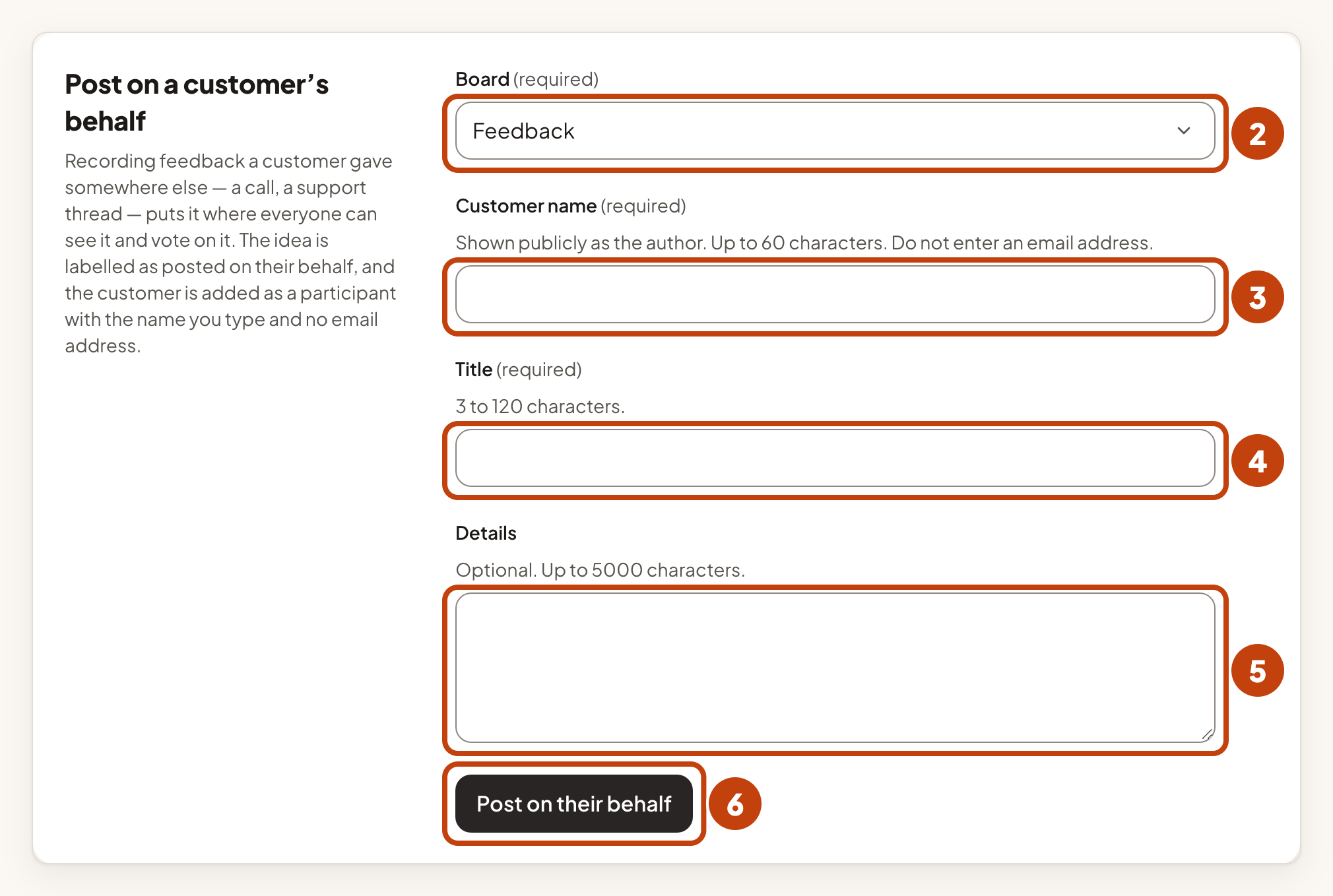
The customer does not follow the idea, so they get no updates about it.
Example
For example, the idea Dark mode for the mobile app is on the Ideas board of Acme Notes and shows Published. Sam Taylor on your team opens it from the Inbox, selects Decline, chooses a Reason, and selects Decline idea. The author sees the reason you choose.
