Add and manage products
A product is where one set of feedback, a roadmap and a changelog live. Each product has its own portal, boards, customers and settings. One workspace can hold several products, for example one for each app you run.
Who can use it
Owners and admins can create products. A team member with the Manager role on a product can rename it. The number of products you can have depends on your plan. See Pricing.
Create a product
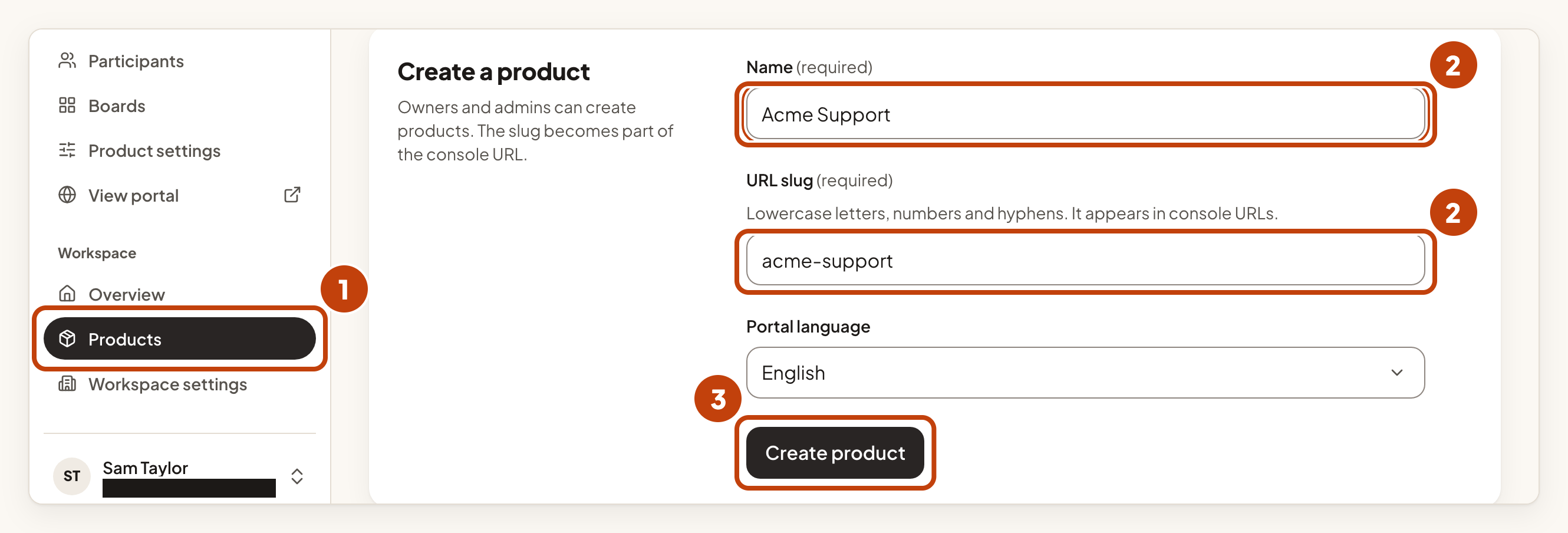
- Select Products in the console menu.
- Type a Name. The URL slug fills in from the name. Change it if you want. It can use lowercase letters, numbers and hyphens, up to 63 characters, and it cannot start or end with a hyphen.
- Select Create product.
If your plan's product limit is reached, IvaBoard does not create the product. A product that is waiting to be deleted stops counting towards the limit straight away, but it keeps its URL slug until it is removed. Restoring it is refused if that would take you over the limit. See Delete a product, and restore it.
Example
For example, Sam Taylor adds a product for the support team at Acme Labs. Sam types Acme Support in Name. The URL slug becomes acme-support. Sam selects Create product.
What members see
The Products page lists the products you have access to. A member sees only the products they have been given. Owners and admins see all of them. See Roles and product access.
Change a product
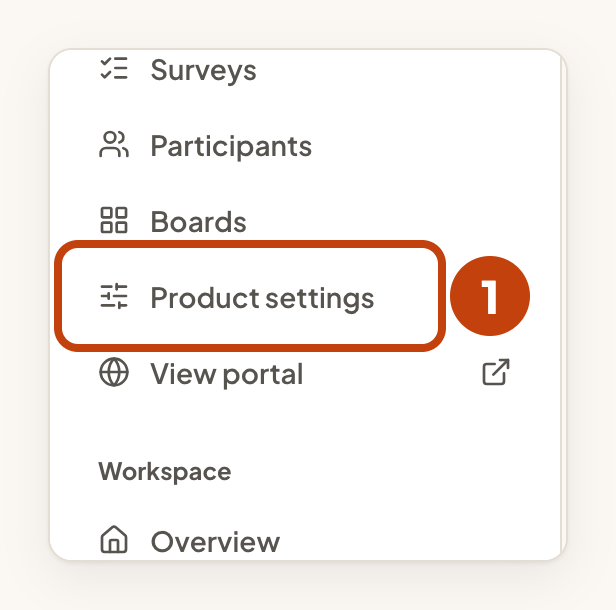
- Select Product settings in the console menu. The product details page opens.
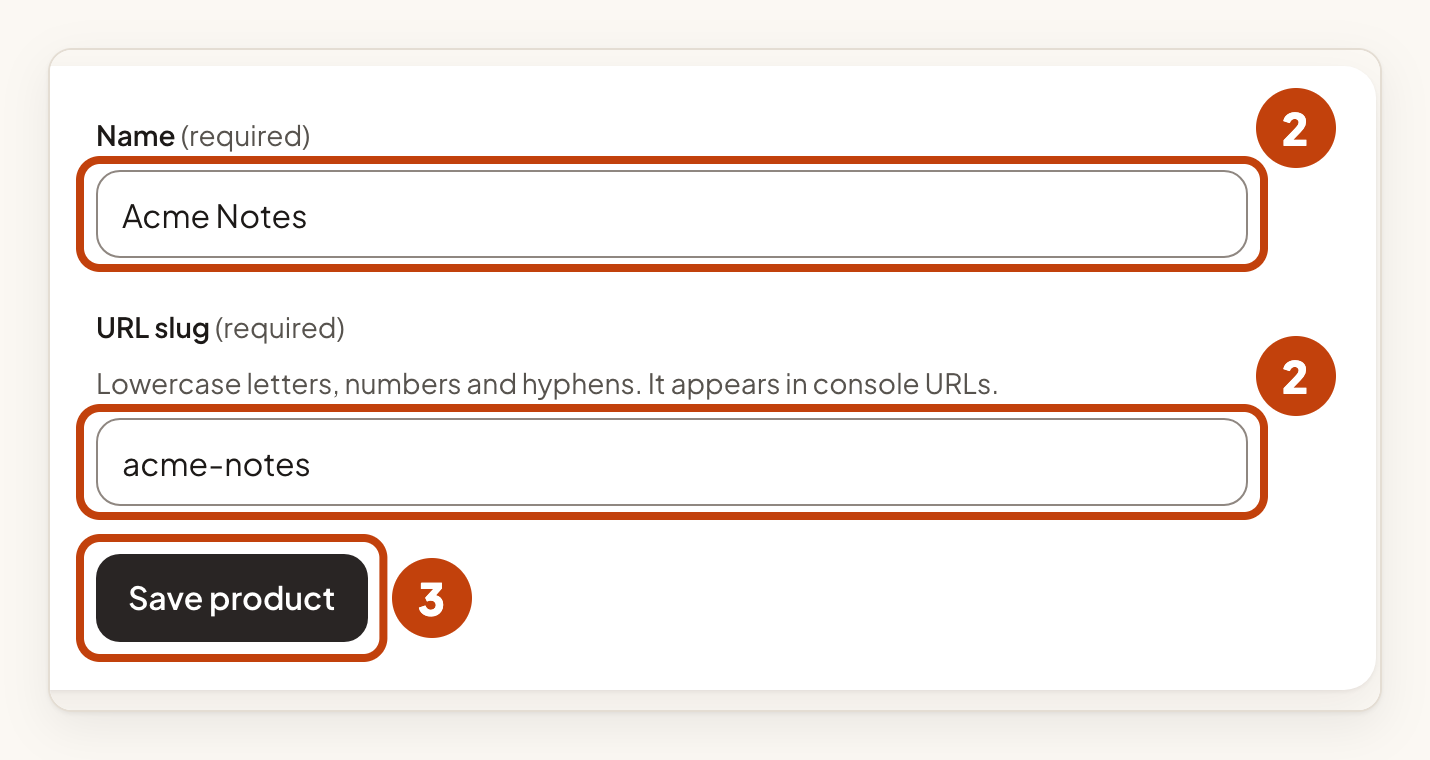
- Under Name and URL slug, change the Name, or the URL slug below it.
- Select Save product.
Changing the URL slug changes this product's console URLs. A link to the old slug stops working at once, and the freed slug can immediately be taken by another product.
The portal address and key
Each product has a public key. It is the part after /p/ in its portal address. Owners and admins can rotate it. To use your own domain for the portal, see Use your own domain for your portal.
Delete a product
Only an owner can delete a product. See Delete a product, and restore it.
