Remove IvaBoard branding with white-label
White-label makes your portal name your product instead of IvaBoard. White-label is not self-hosted: we run it, and your customers see your domain and your brand on the portal. Turn it on for each product in the console. It also lets you set your own logo and your own CSS, and it lets you send portal emails from your own domain.
Who can use it
White-label is included in Growth, Scale and every Lifetime White-label plan. Starter and the Lifetime Hosted plans do not include it. See the pricing page for the full list.
- Owners and admins can turn white-label on or off for each product.
- A product manager, a member with the Manager access level on the product, can see whether white-label is on. A product manager cannot change it.
White-label does not need a custom domain. It works at IvaBoard's own address as well as at a custom domain.
What changes on your portal
With white-label on, your portal:
- ends every page title with your product's name instead of IvaBoard,
- names your product when someone shares a link to it,
- hides Powered by IvaBoard at the foot of every portal page.
Some other settings also need white-label:
- Your logo: setting or replacing it needs white-label. Your logo also becomes the browser tab icon. See Brand your portal: name, logo and colours.
- Your own CSS: writing your own style sheet needs white-label. See Style your portal with your own CSS.
- Emails from your own domain: these need white-label and a verified sending domain. See Send portal emails from your own domain.
- Sign-in with an emailed code on your own domain: this needs white-label and a custom domain. See How your customers sign in to your portal.
Turn it on
- Select Product settings for your product.
- Select Domains and white label in the settings menu.
- Select the White label switch.
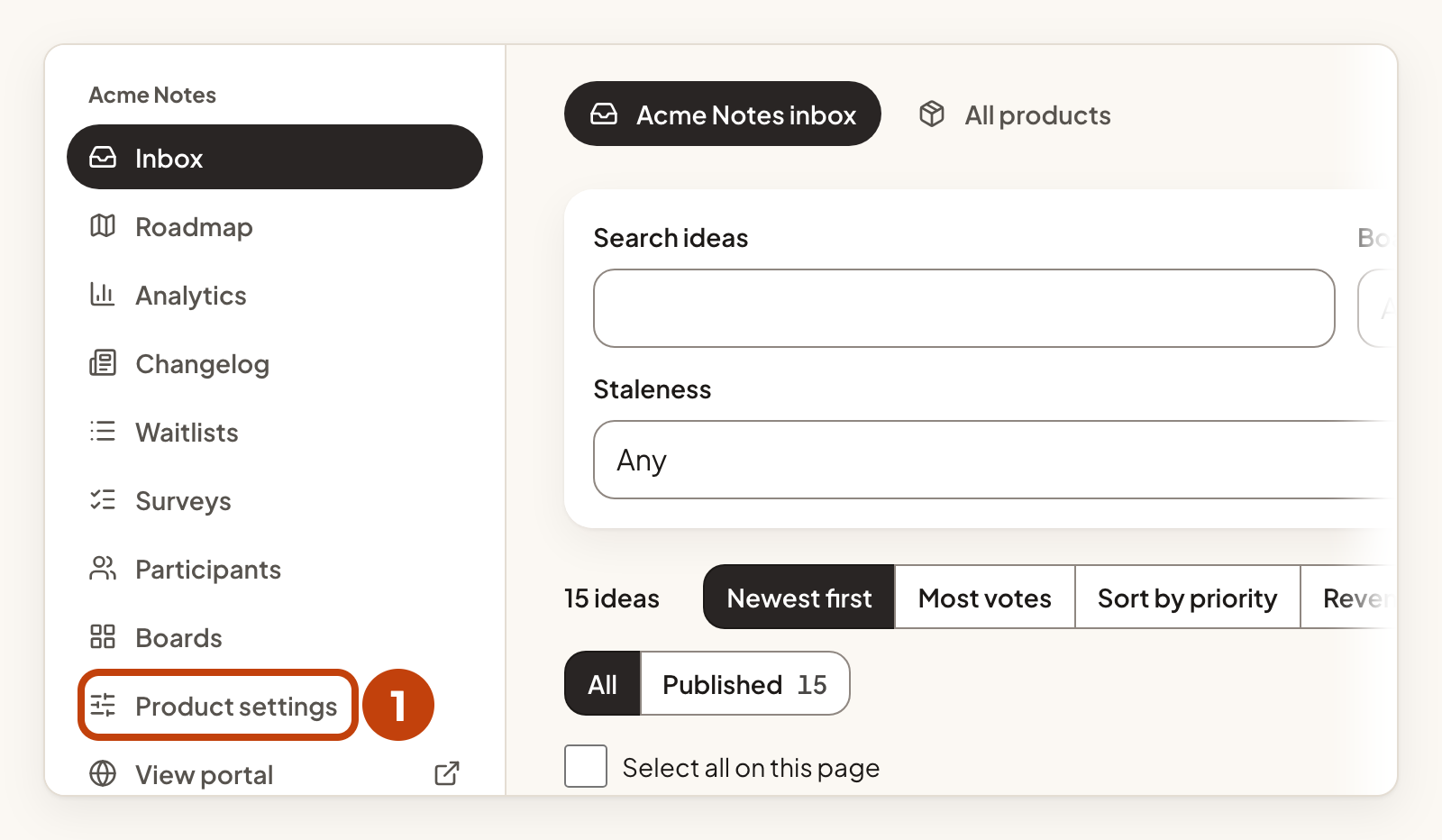
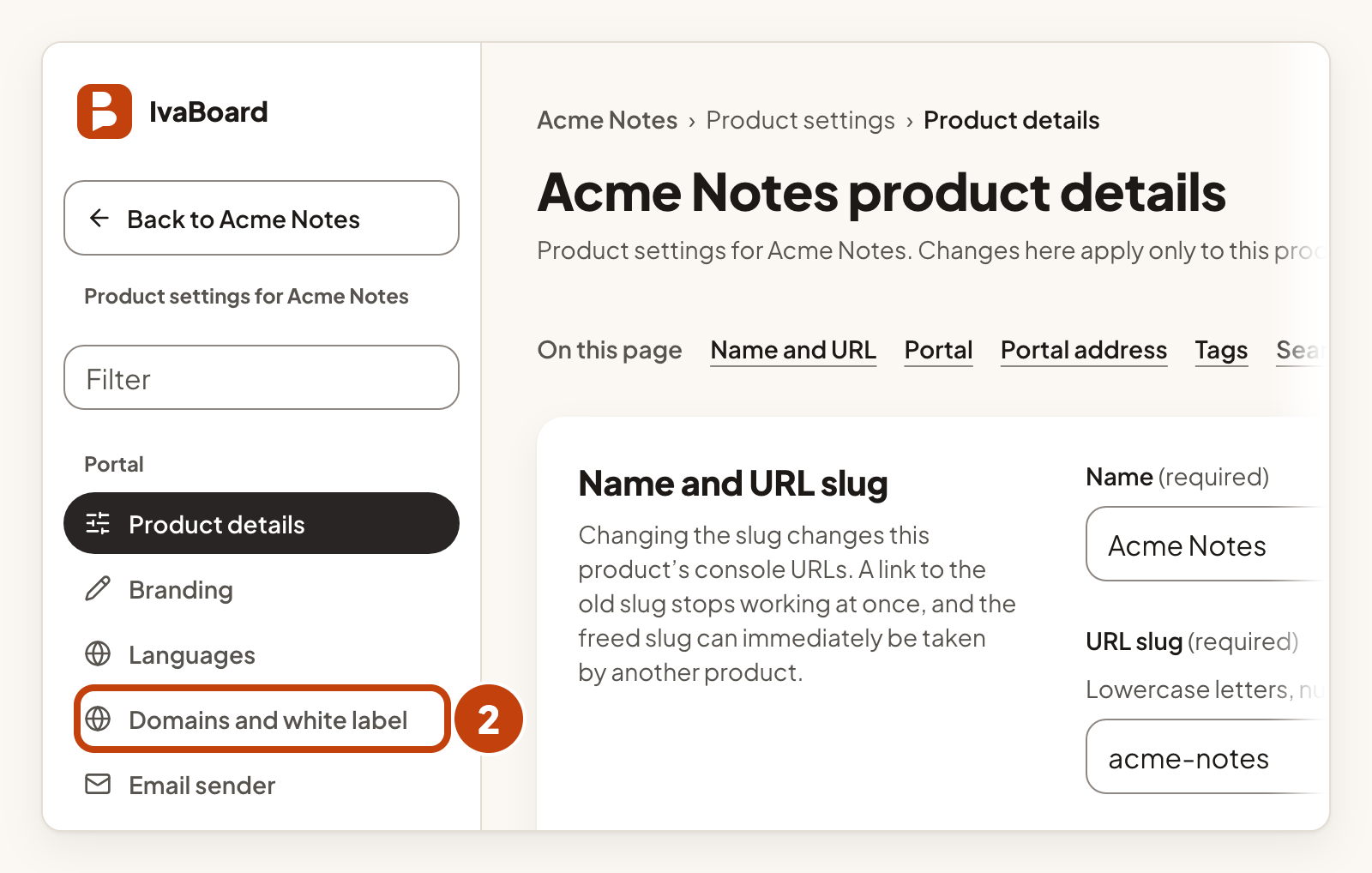
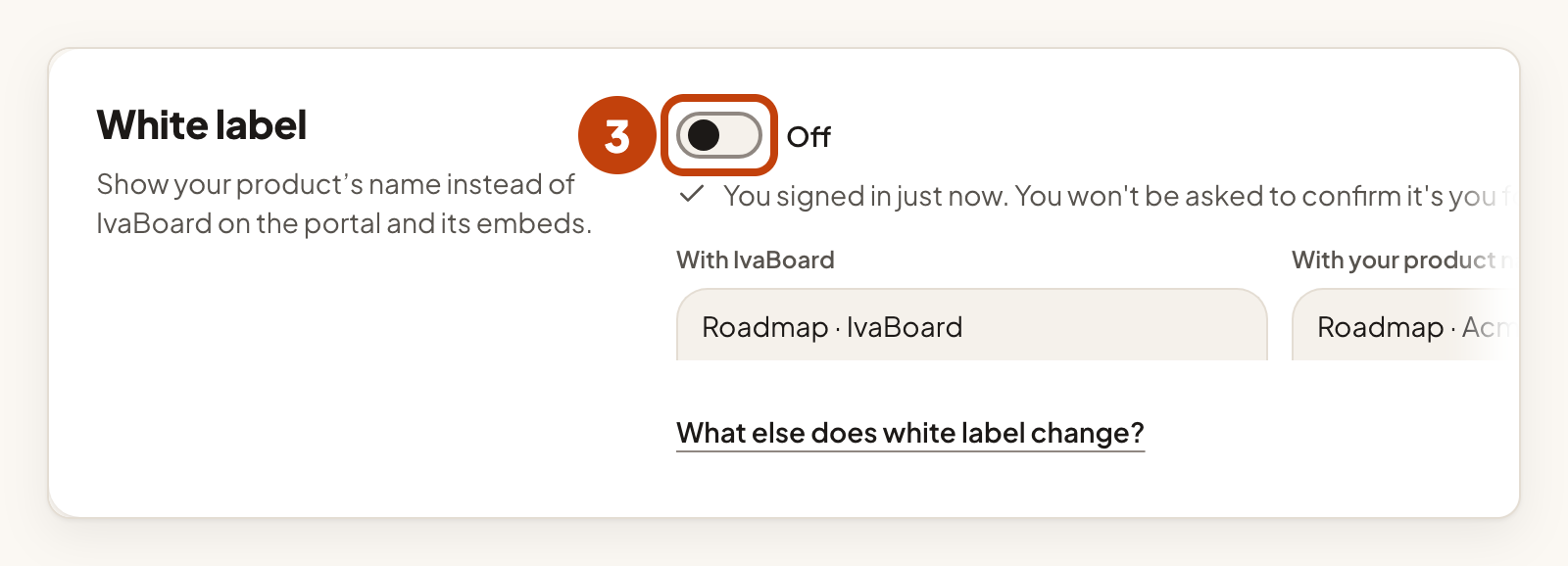
The word beside the switch changes to On. To turn it off, select the White label switch again. The word changes to Off. The setting is per product, so turn it on for each product that should use it.
Turning on white-label does not change who sends an email. To send portal emails from your own domain, see Send portal emails from your own domain.
If you cannot turn it on
If the White label section says White label is not included in this workspace, your plan does not include it. The switch is not shown. Select Email IvaBoard support to ask for it.
If white-label is on for a product but the workspace no longer includes it, your portal names IvaBoard again. The word beside the switch then reads On, not showing. It comes back on its own when the workspace includes white-label again.
Example
For example, Sam turns on White label for Acme Notes at Acme Labs. The browser tab of the Roadmap page then reads "Acme Notes roadmap · Acme Notes" instead of "Acme Notes roadmap · IvaBoard".
