Delete your workspace
An owner can schedule the whole workspace for deletion. Nothing is removed at once. For 14 days, you can cancel it. After that, the deletion cannot be undone.
Who can use it
Every plan. Only an owner can schedule a deletion. You may be asked to sign in again, and you need two-factor authentication set up. Any owner can cancel a deletion.
What happens when you schedule it
- Changes are paused. A banner in the console shows the date until which you can cancel.
- The portals, widgets and public API of your products stop answering.
- Unsubscribe links in emails already sent keep working.
- Exports for the workspace stop.
- Every owner and admin is emailed.
- You can still read your data in the console.
What is removed after 14 days
The deletion removes your products, boards, ideas, comments, votes, roadmap, changelog, participants, API keys and webhooks.
Team members keep their IvaBoard accounts, but they lose access to this workspace.
A copy stays in backups for up to 30 days, and then it is gone. A backup is not a way to undo a deletion. Recovering one workspace from a backup is a manual job, and it may not succeed.
Deleting a workspace does not cancel your plan. While a paid plan still renews, the page shows This workspace still renews and you cannot schedule the deletion. Stop the renewal first. If a plan renews again during the 14 days, the deletion is on hold until the renewal is stopped.
Before you start, export anything you want to keep. See Export your data.
Schedule the deletion
- Open Workspace settings.
- Select Workspace details.
- Select Delete workspace… in the Delete workspace section at the end of the page.
- Select Delete this workspace.
- Type your workspace's URL name into Workspace URL name.
- Select Schedule deletion.
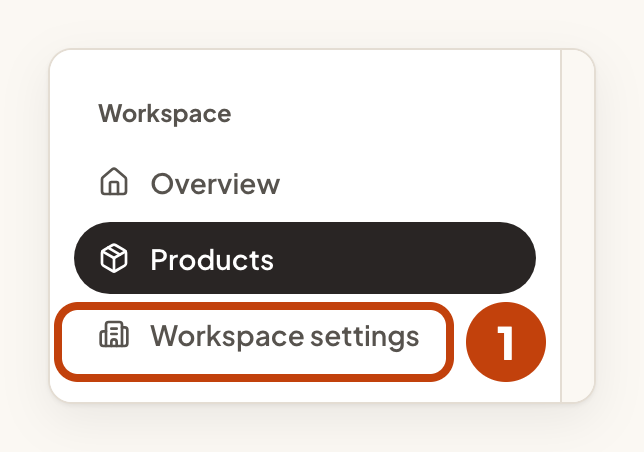
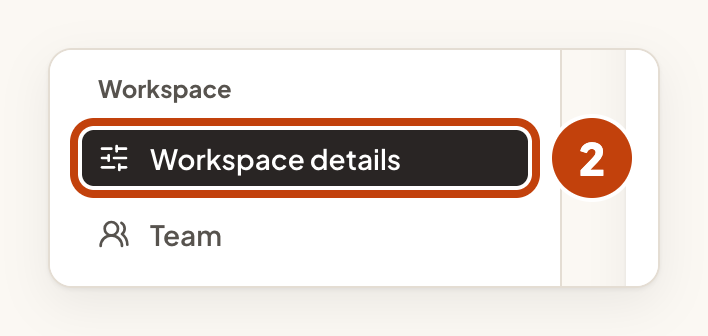
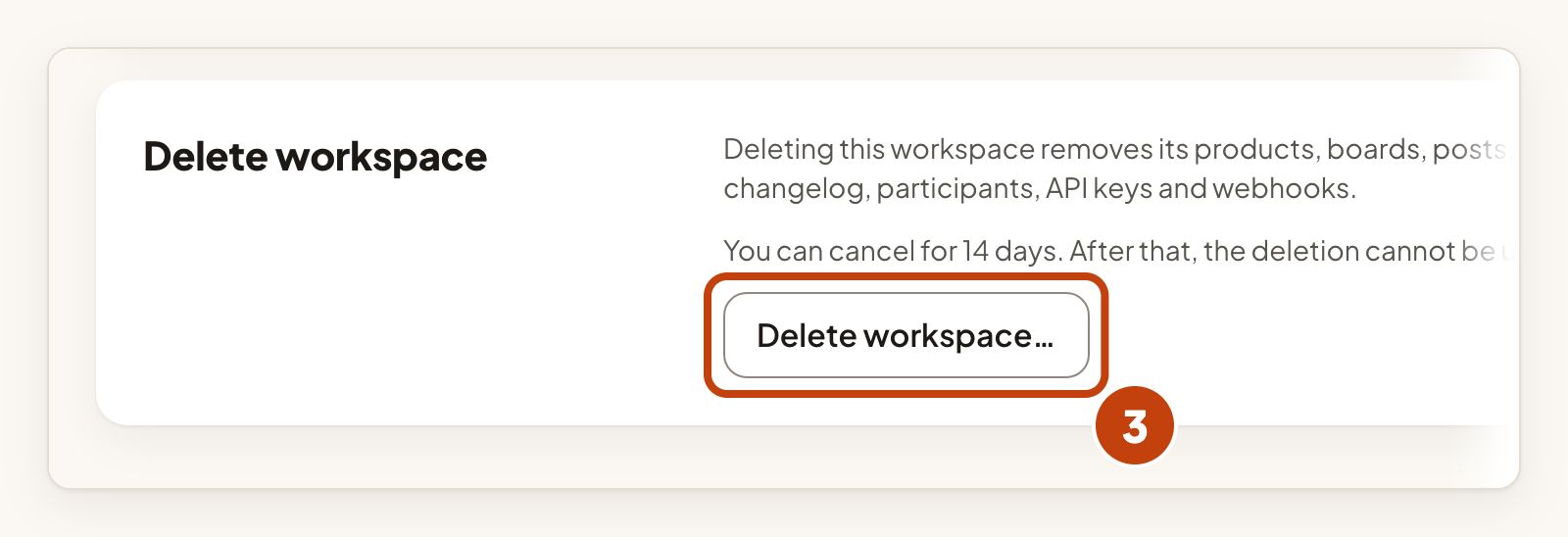
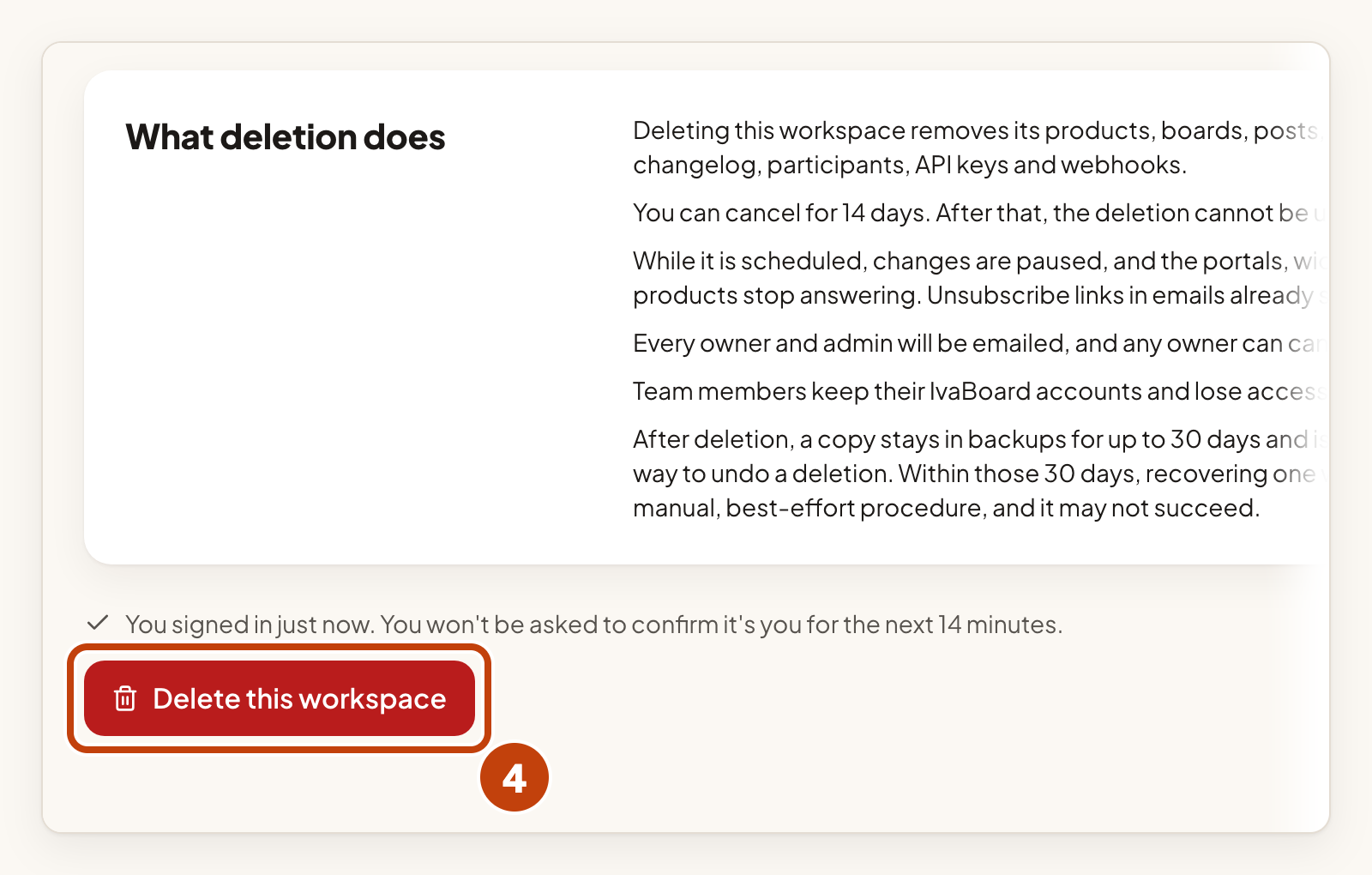
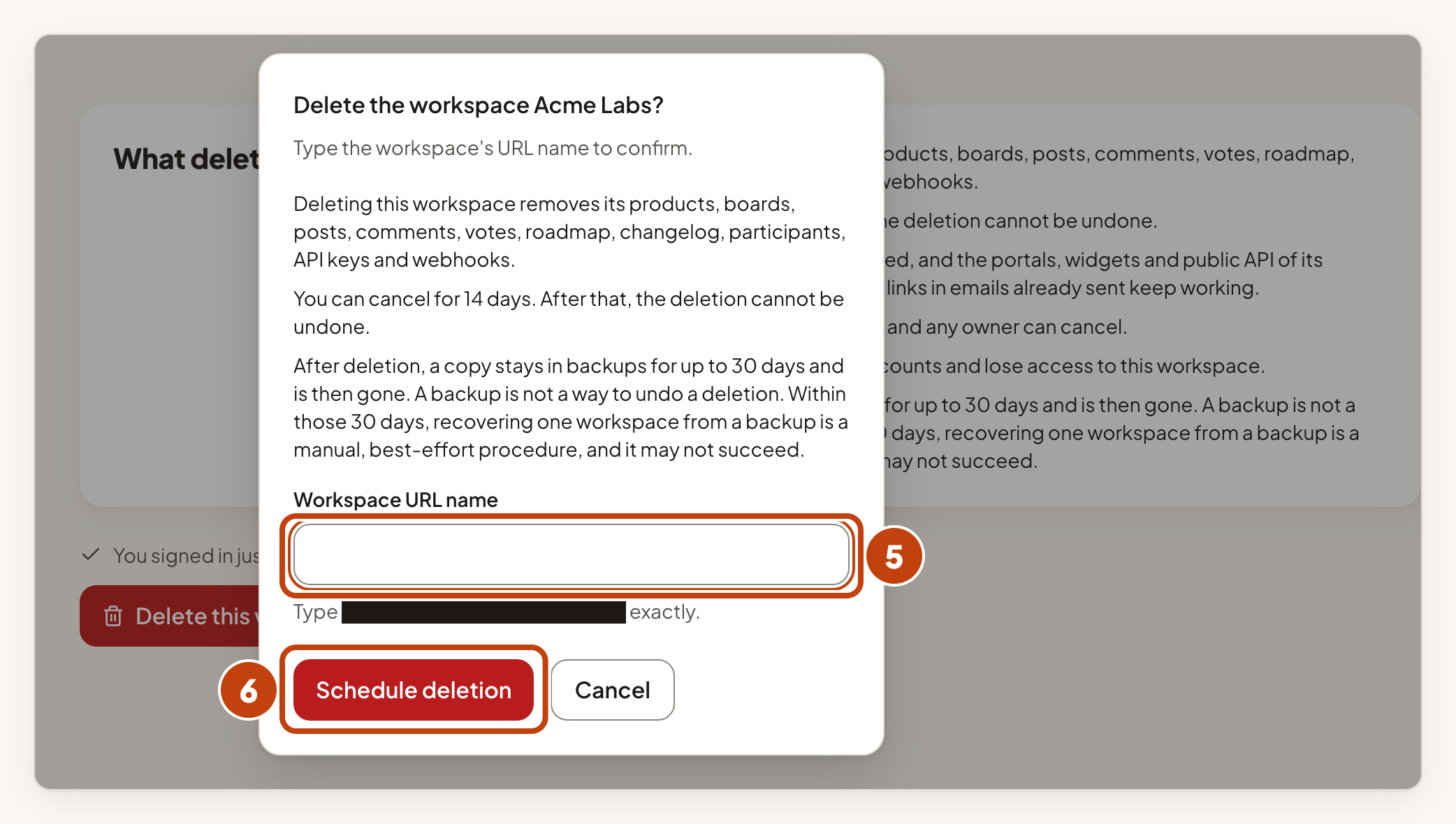
The page then shows the date until which you can cancel. It also shows the date after which the deletion cannot be undone.
Cancel the deletion
Any owner can cancel while the 14 days run.
- Select Cancel deletion in the banner at the top of the console.
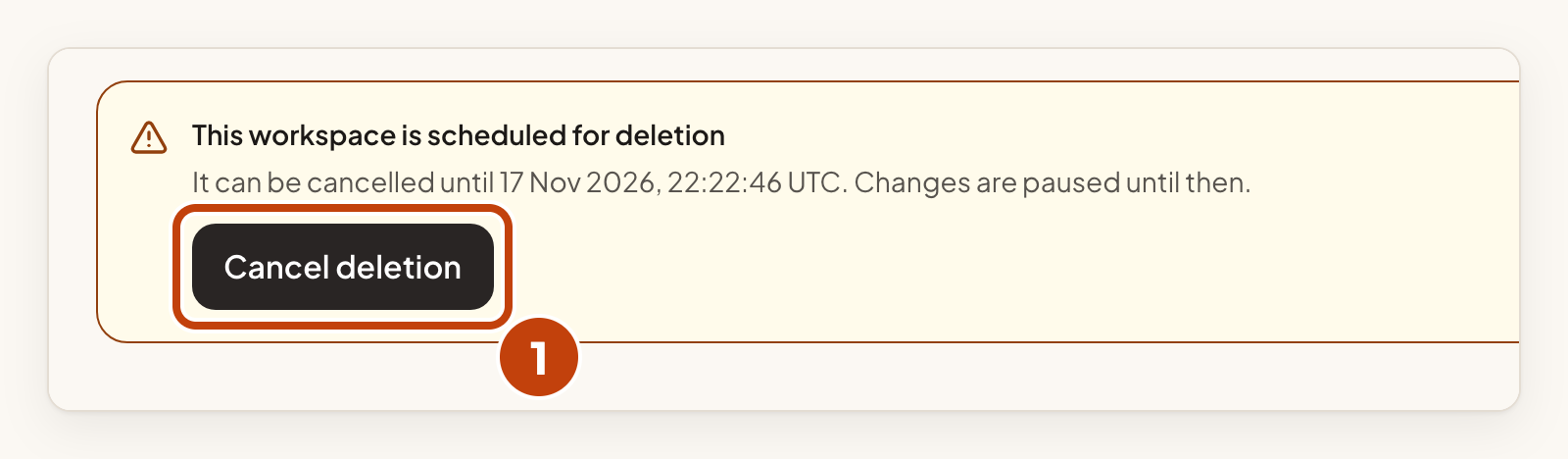
Changes are no longer paused after you cancel.
After the date shown, the deletion cannot be undone, and nobody can cancel it. Cancel before that date.
Example
For example, Sam Taylor, an owner of Acme Labs, schedules the deletion on 1 March. The banner says it can be cancelled until 15 March. On 5 March, Sam changes their mind and selects Cancel deletion in the banner.
If you only need to remove a product
Deleting one product leaves the rest of the workspace alone. See Delete a product, and restore it.
