How email works in IvaBoard
IvaBoard sends two kinds of email. This article explains which is which, how your monthly allowance works, and when you need your own email provider.
Who can use it
Every team member can read this article. Owners and admins connect and change email providers, and they receive the allowance notices.
Emails IvaBoard always sends
These come from IvaBoard on every plan. They never use up your allowance and never go through your own provider:
- Sign-in codes and account emails
- Security emails
- Team invitations
- Emails to your team: new ideas, ideas waiting for review, new comments and the weekly digest
- Notices about your workspace, such as a deletion request
- Notices about your monthly emails
Emails to your users
These go to the people who use your product:
- A reply or comment on an idea they follow
- A status change on an idea they follow
- A changelog update
- A waitlist invitation
How these are sent depends on your plan and on what you set up.
Your plan
| Plan | Emails to your users that IvaBoard sends each month |
|---|---|
| Starter | 5,000 |
| Growth | 25,000 |
| Scale | 50,000 |
| Lifetime plans | None. Your own email provider sends them. |
Any plan can also send through its own email provider. When it does, IvaBoard does not limit those emails. Your provider carries them, under its own rules and prices.
How the monthly allowance is counted
- The month is a calendar month in UTC. The count starts again on the first day of each month.
- An email counts once, when IvaBoard hands it over to send. An email that covers several updates still counts once.
- Emails sent through your own provider do not count.
- Test emails do not count.
- Sign-in, security and team emails do not count.
You can see the count in two places: the meter Emails to your users sent this month on your workspace overview, and the Email usage this month section described below.
Where to see your usage
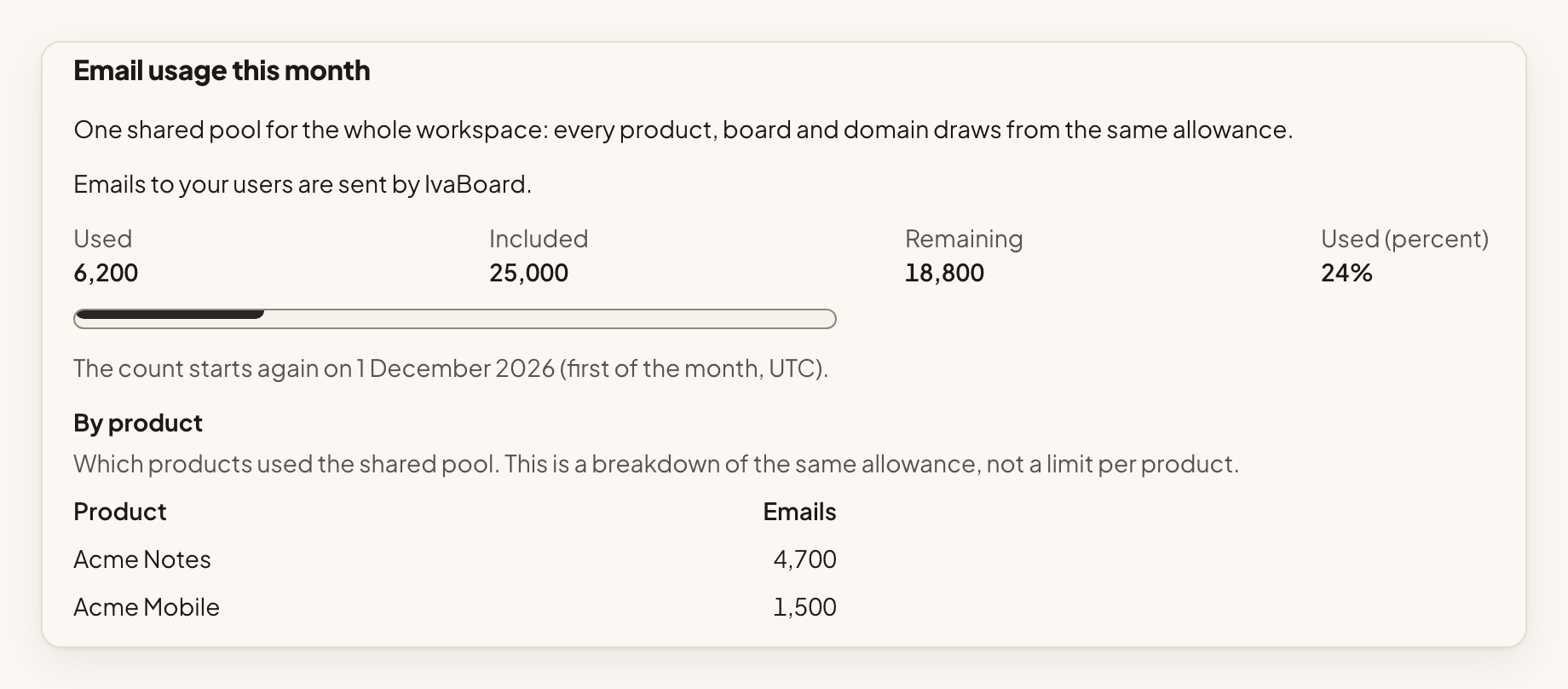
Open Workspace settings, then Email providers. The section Email usage this month shows how many emails to your users were sent this month, how many your plan includes, how many are left, the percentage used and the date the count starts again (the first of the month, UTC). Owners and admins can open it.
The allowance is one shared pool for the whole workspace. Every product, board and domain draws from the same pool. The By product table shows which products used it. It is a breakdown of the same allowance, not a limit per product. Other covers products that were deleted since, and emails sent before the breakdown started on 7 November 2026.
If some or all of your products send through your own provider, the section says so. Emails sent through your own provider do not use the allowance.
What happens as you use the allowance
- At 80%. Owners and admins get one email that month saying you have used 80% of the allowance. The overview shows the banner "Your monthly emails to your users are nearly used up".
- At 100%. Owners and admins get one email saying the allowance is used up. The banner changes to "Your monthly emails to your users are used up". Emails to your users are held. See below.
- The first time an email to your users is not sent in a month, owners and admins get one email that says why. It is the only notice of that kind that month.
Ideas, votes, comments and the notifications inside the app keep working. Sign-in and team emails are not affected.
When you reach the limit
At 100%, emails to your users are held, and the section Waiting to be sent says how many are waiting.
- Held emails less than 35 days old are sent when the count starts again on the first of next month (UTC), after a plan upgrade, or when a product sends through a connected provider of your own.
- Held emails older than 35 days are not sent.
- Emails held by the hourly sending limit go out by themselves in the next hours.
Sign-in and team emails are not counted and are not affected.
If your plan needs your own provider
On a Lifetime plan, the overview shows the banner "Connect your email provider to email your users" until a provider is ready. Until then, emails to your users are not sent, and they are not held. Sign-in and team emails are not affected. See Connect your email provider.
Publishing a changelog update
When you publish a changelog update, the publish window shows an Email estimate. It says about how many people will be emailed, how many go through your provider and how many through IvaBoard, and who will not be emailed and why. It is an estimate. Who follows an idea, and what is left of your allowance, can change before the emails go out.
What your users see
Emails sent through your own provider come from the From address you chose, with the From name you chose. Replies go to the Reply-To address you set for the product, if you set one. Emails IvaBoard sends come from IvaBoard.
Worked example
Sam Taylor is an owner at Acme Labs. The team is on the Starter plan, so IvaBoard can send up to 5,000 emails to users each month, shared by all of the team's products. On 20 March the overview meter reads 3,000 of 5,000. Sam connects a provider and chooses it for Acme Notes. From then on, those emails go through that provider and are no longer counted.
