Merge duplicate ideas
When two customers post the same idea, you can merge one into the other. The votes and followers of the duplicate move to the idea you keep, so nobody loses their say and nobody is counted twice. This article shows how to merge, and what people see afterwards.
Who can use it
Every plan. Owners, Admins and Managers can merge ideas. Moderators and Viewers cannot.
Merge two ideas
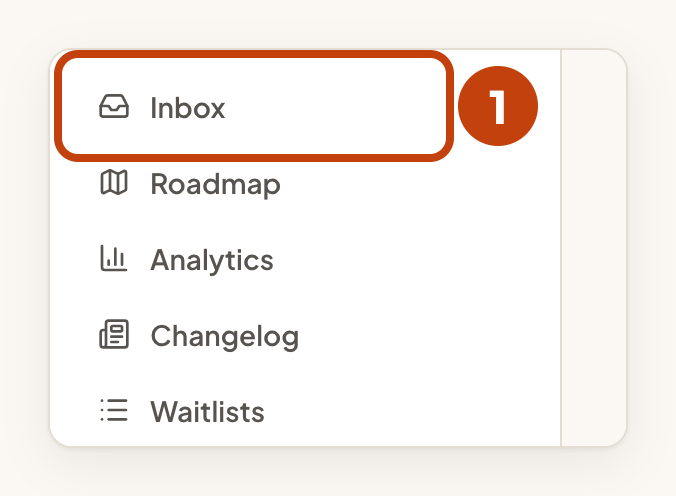
- Open the product's Inbox.
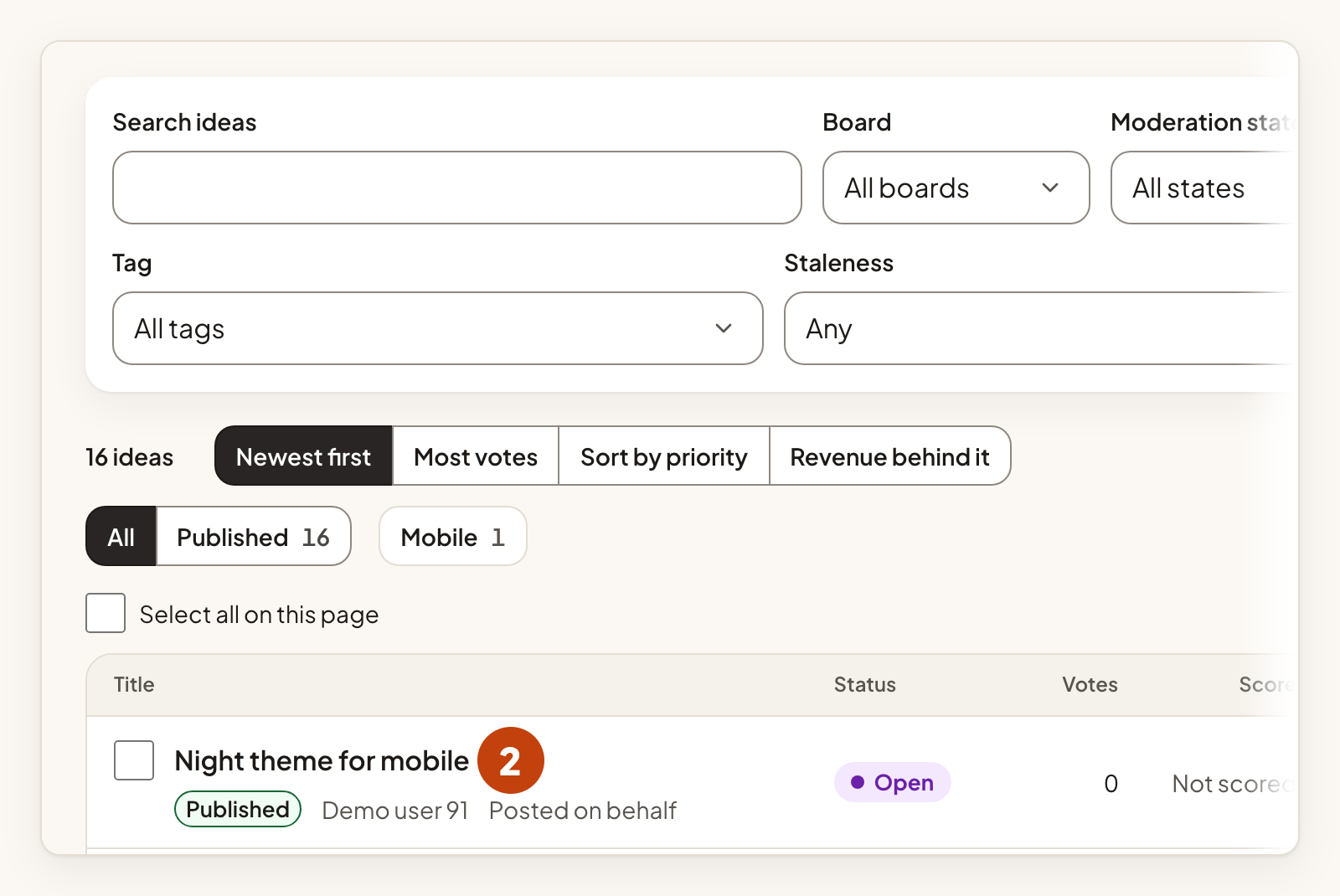
- Select the title of the duplicate idea in the Inbox. This is the idea that will go away.
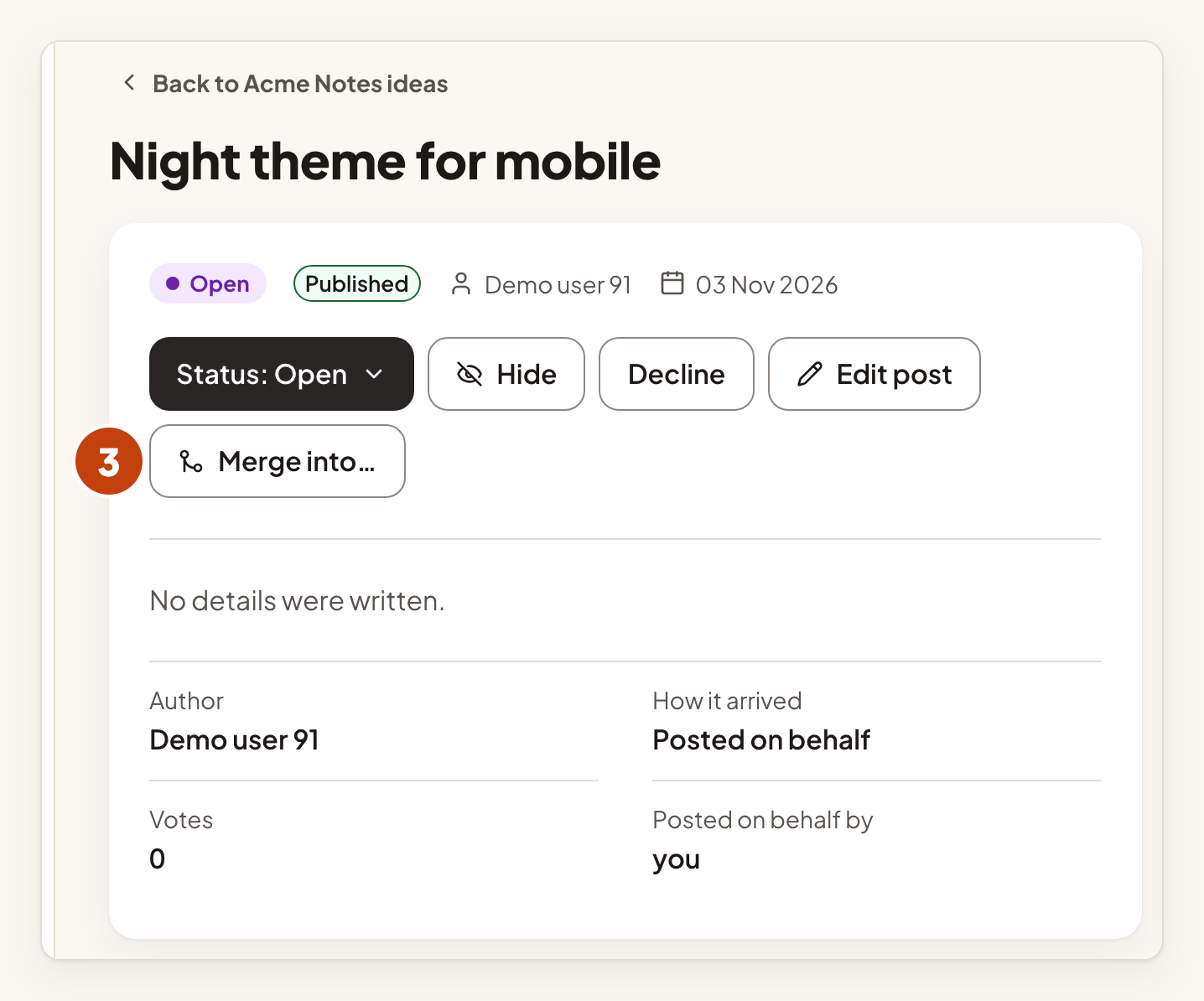
- Select Merge into….
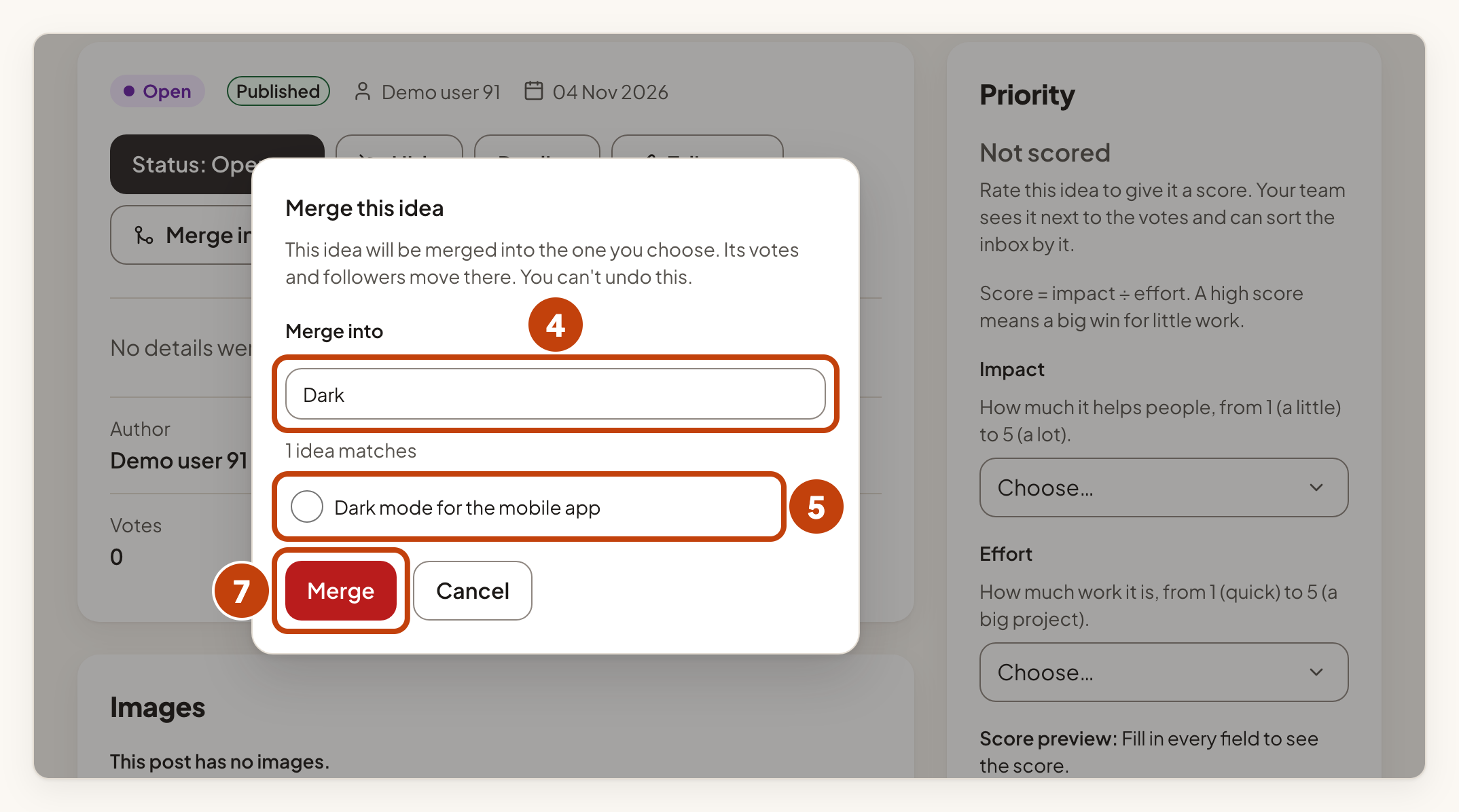
- Type part of the title of the idea you want to keep in Merge into.
- Select the idea you want to keep from the list. The list shows only your 50 most recent ideas.
- If the question Which visibility does the merged idea keep? appears, select Keep the chosen idea's visibility or Use this idea's visibility.
- Select Merge.
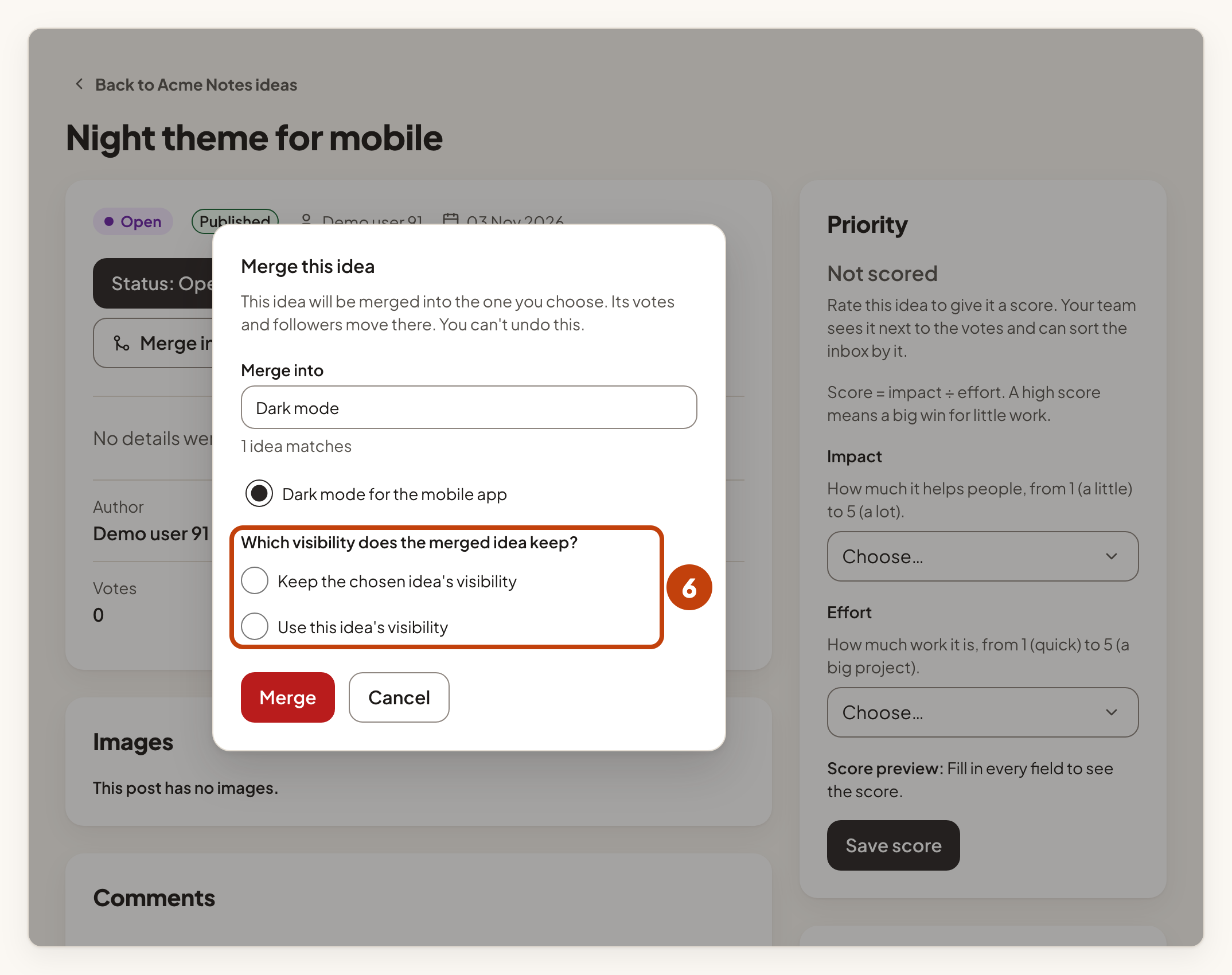
The visibility question appears when the two ideas' boards are not open to the same people, for example a public board and a restricted board. Both ideas must belong to the same product. An idea that is already merged cannot be merged again, and it cannot be the idea you keep.
A merge cannot be undone. Check that you have chosen the right idea to keep.
What moves
- Votes move to the idea you keep. If the same person voted for both ideas, they count once.
- Active followers move to the idea you keep.
- Links from changelog entries move to the idea you keep.
- Custom field values stay with the idea you keep. A value moves across only where the idea you keep has none.
Nobody is emailed about the merge.
What people see
Anyone who opens the old idea's link on your portal is sent to the idea you kept. In the console, the old idea shows This post was merged into another post. with a link called View the surviving post. Its state is Merged, and it can no longer be edited or voted on.
Example
For example, Sam posts "Dark mode for the mobile app" on the Acme Notes portal. Riley, a customer at example.com, later posts the same idea as "Night theme for mobile". You merge Riley's idea into Sam's. Riley's vote and followers move to Sam's idea, and Riley's old link now opens Sam's idea.
