Your portal address and readable links
Your board can have a short address, such as acme-notes.ivaboard.com, in place of the standard one. This article shows how to choose it. It also explains the readable addresses for your workspace and your ideas.
Who can use it
Every plan includes a portal address. If your plan does not include one, the Domains and white label page says so. An owner or an admin can choose or change the portal address. A product manager can see it.
Readable addresses for your workspace and your ideas need nothing to switch on.
Choose a portal address
- Select Product settings in the sidebar.
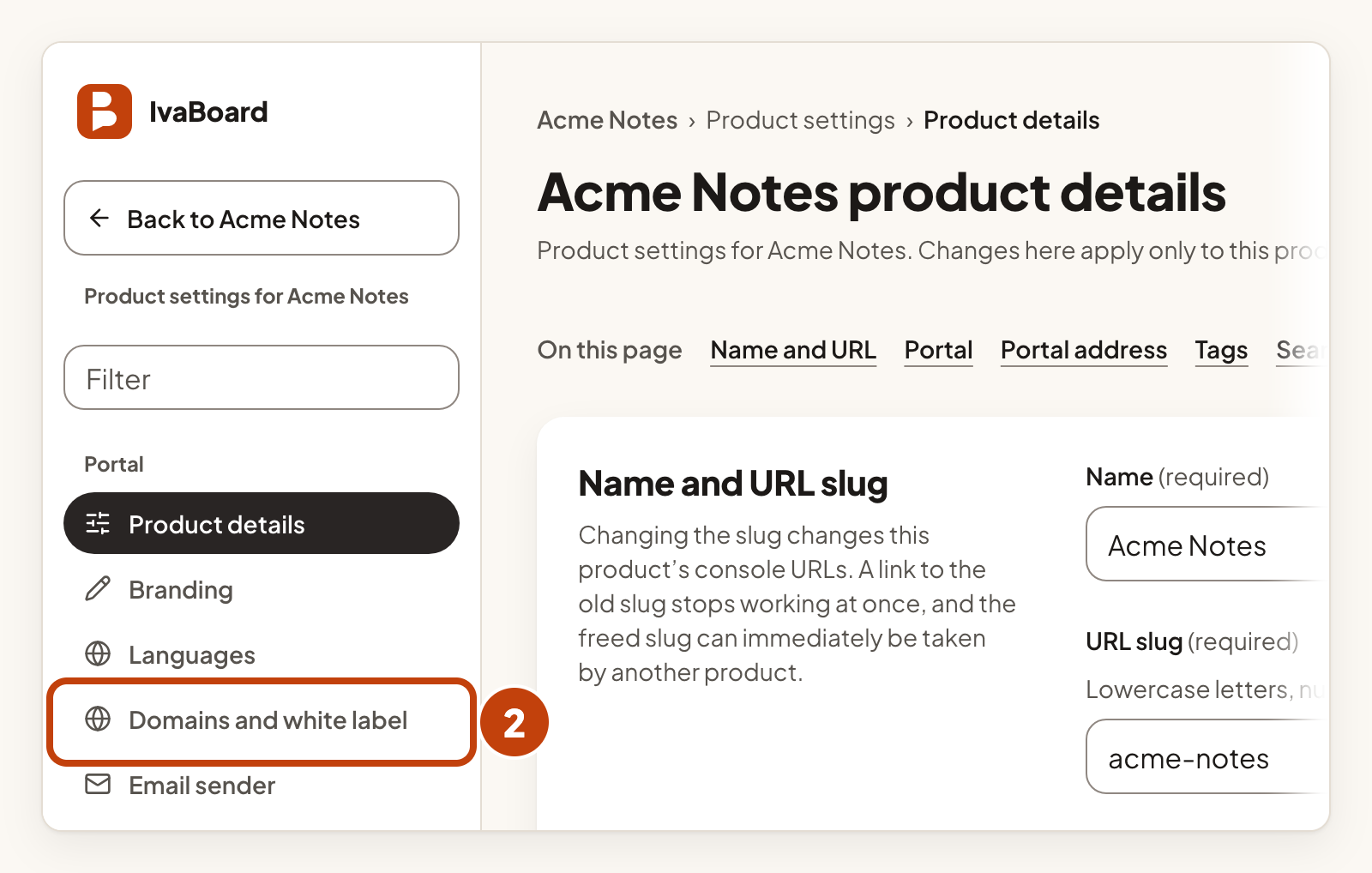
- Select Domains and white label in the settings list.
- In Address, type a name. Use letters, numbers and hyphens, from 3 to 40 characters.
- Select Save address.
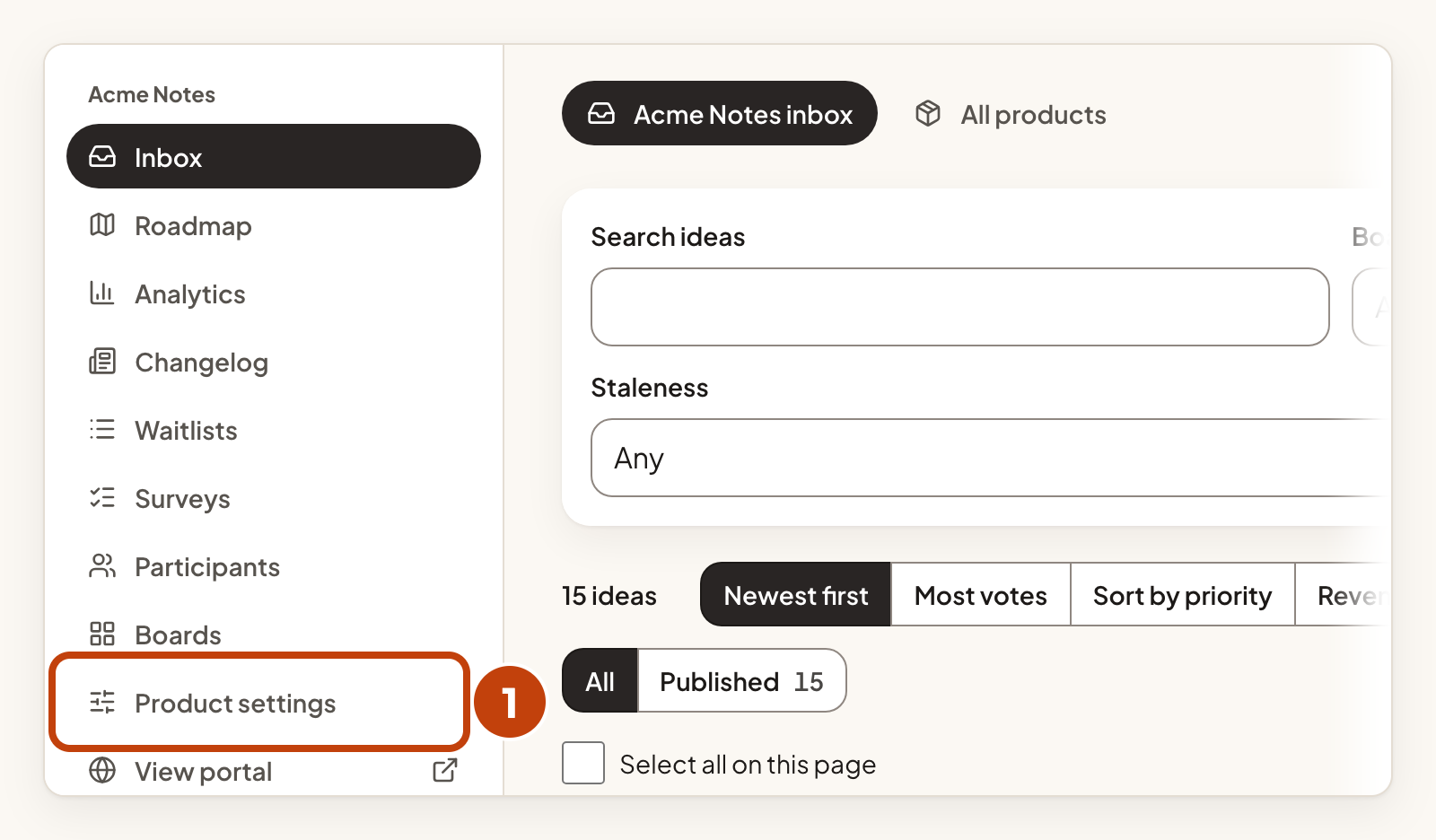
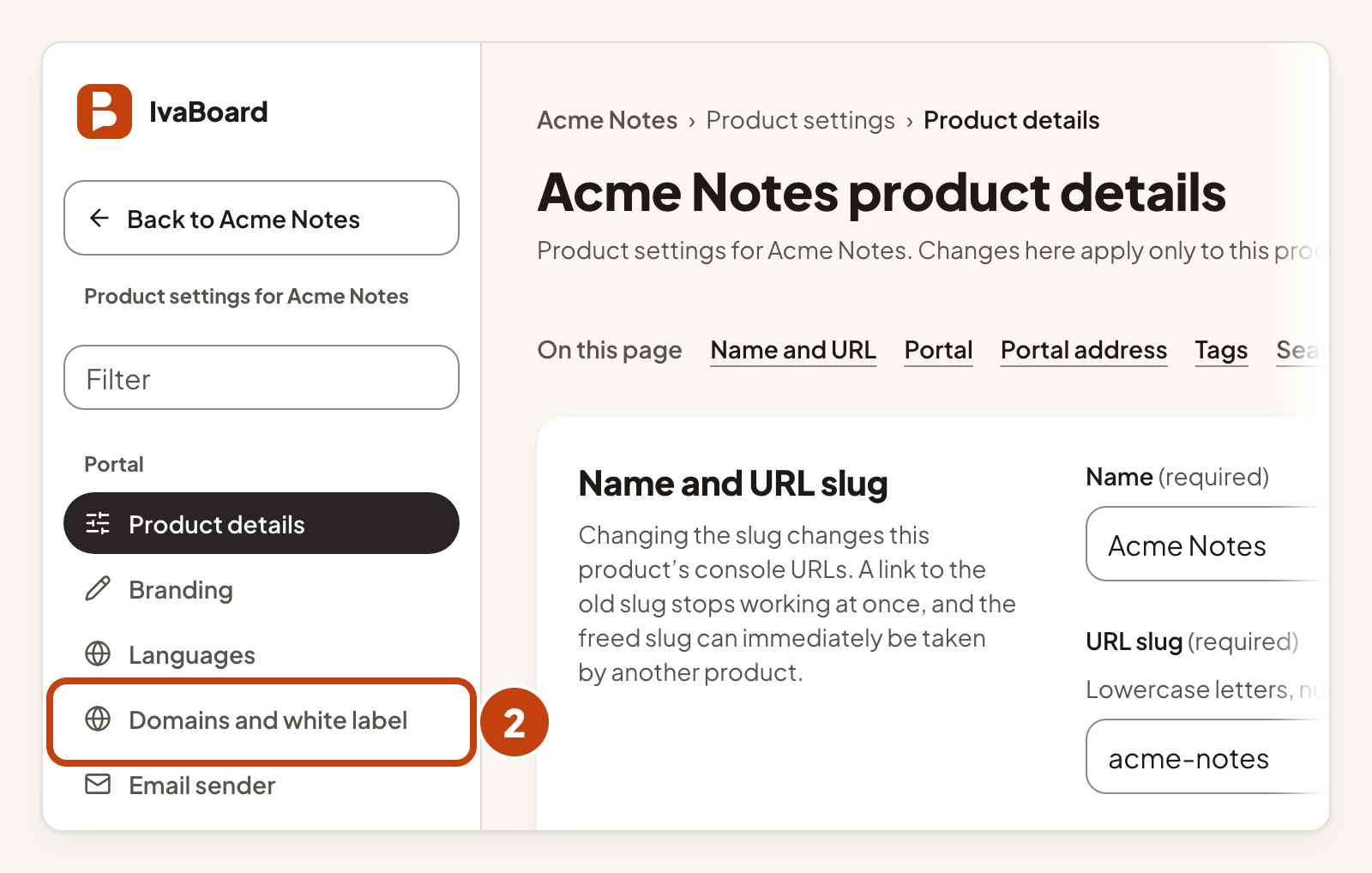
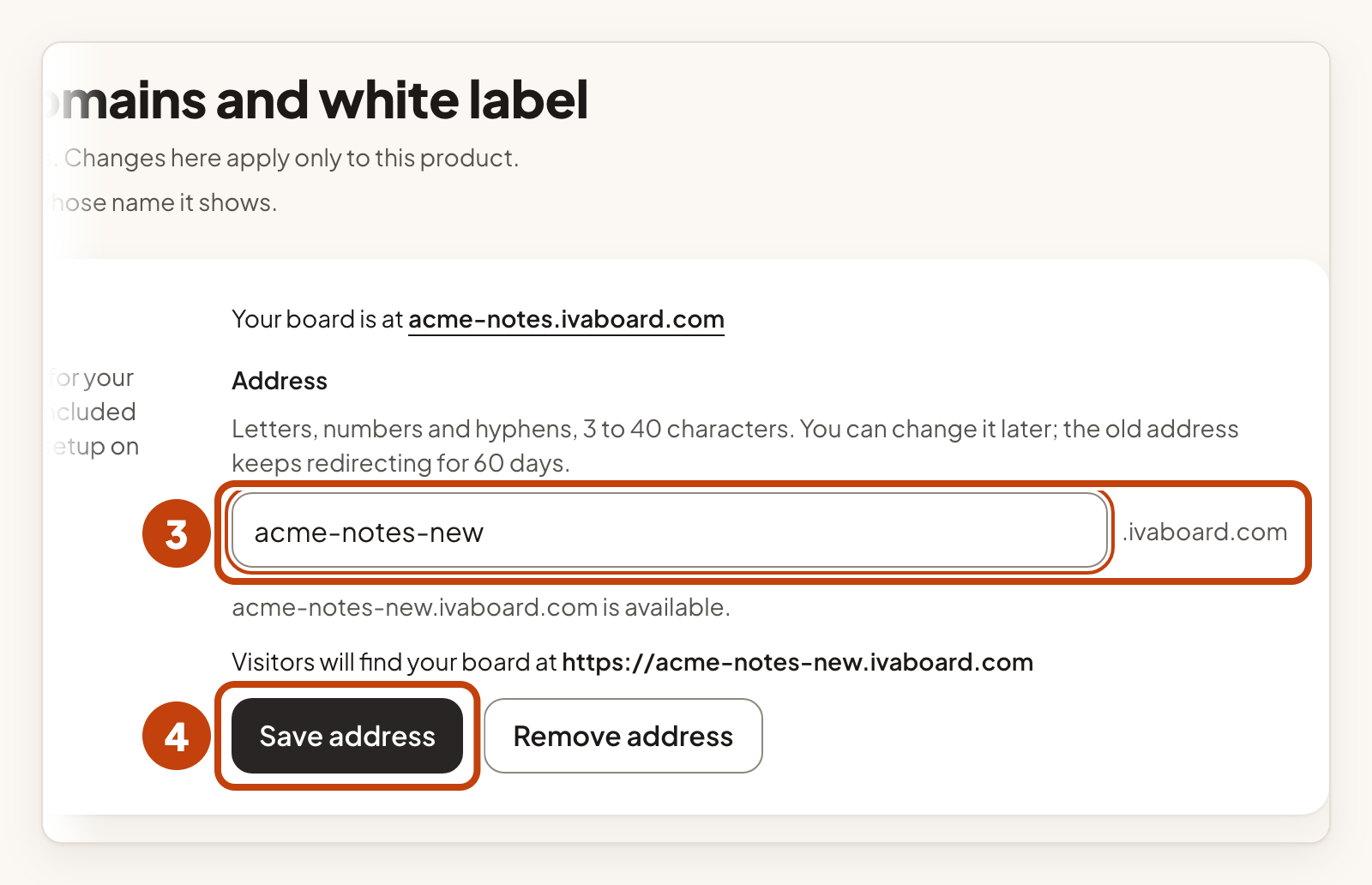
Under Address, the page shows the full address before you save. The standard address keeps working.
You can change the address a few times a day. The old address keeps redirecting for 60 days, then stops at the next daily clean-up.
Remove your portal address
- Select Product settings in the sidebar.
- Select Domains and white label in the settings list.
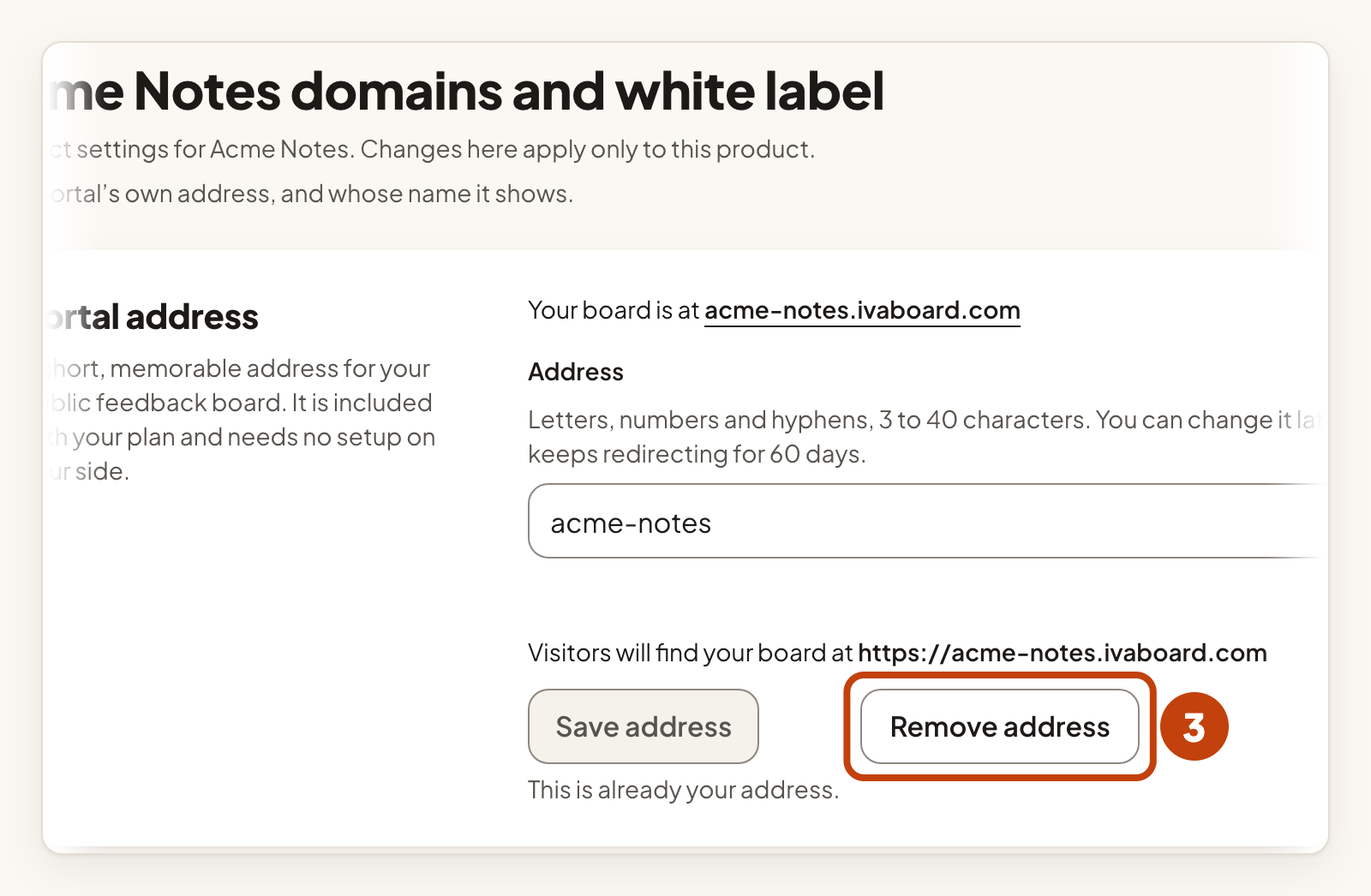
- Select Remove address.
- Select Remove it for good in the warning box.
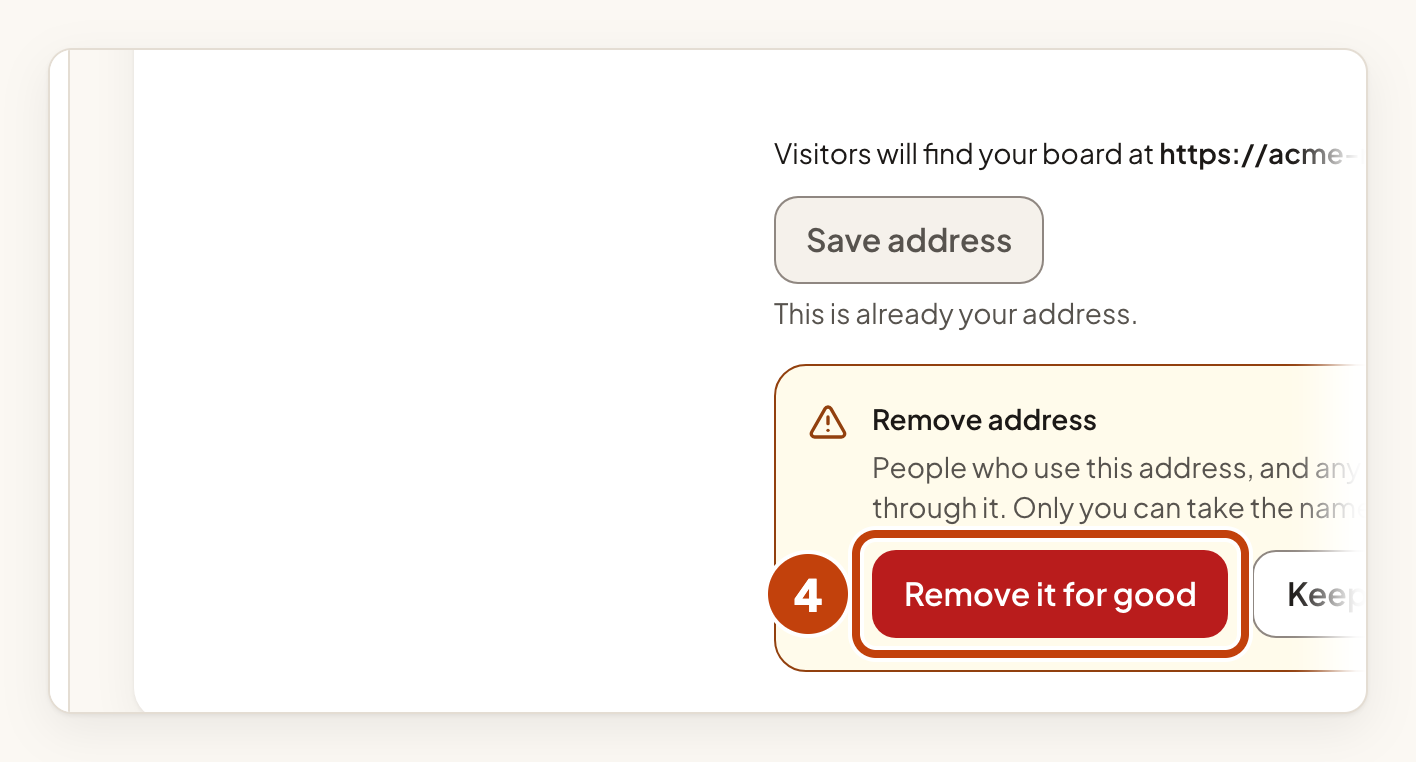
People who use this address, and any older one, can no longer reach your board through it. Only your workspace can take the name back, and only for 30 days. The next daily clean-up after that frees it for anyone.
Your custom domain
If you use your own domain as the main address, your portal address redirects to it. To change that, make your custom domain the primary address, or remove it. See Use your own domain for your portal.
Your workspace address
When IvaBoard creates your workspace, it builds the address from the workspace name, such as /app/w/acme-inc/. If another workspace already uses that name, a number is added, such as acme-inc-2.
Renaming your workspace under Workspace details does not change this address. Only IvaBoard can change a workspace address. Contact us if you need one changed. The old address keeps working after a change.
Your idea addresses
Each idea gets an address built from its title, such as /posts/ai-agent on your portal.
- The words come from the title when the idea first becomes public. That means it is approved, on a public board, in a public portal.
- After that, the address stays the same, even if the title is edited. Shared links keep working.
- If two public ideas would get the same address, the second one gets a number, such as
ai-agent-2. - Links to ideas made before readable addresses existed keep working.
Because the address stays the same, removing a word from the title does not remove it from the address. If a board reviews new ideas first, edit the title before you approve the idea.
Hidden and merged ideas
An idea keeps its address when it is later hidden or declined. If you merge a duplicate into another idea, the duplicate's link opens the idea it was merged into.
Someone who may not see an idea gets the same "not found" page as for an address that does not exist. An address never shows that a private idea exists.
Links in emails
The emails your customers and team receive use these readable addresses. Links that must stay private to one person, such as unsubscribe links, use a secure code instead.
Example
For example, Sam at Acme Notes approves the idea "AI agent" on a public board. Its address becomes /posts/ai-agent. If Sam later changes the title to "AI agent for support", the address stays /posts/ai-agent.
