Show your portal in other languages
Your portal, its sign-in pages, the in-app widget, the changelog popup, embeds and the emails your customers get can appear in the visitor's own language. IvaBoard offers 27 languages, English included.
Who can use it
Every plan. Owners, admins and product managers can change the languages. Other team members can look, but they cannot change them.
Turn on languages
- Select Product settings in the sidebar.
- Select Languages in the settings list.
- Choose the Default language. Visitors see it unless their browser uses another language you have turned on.
- Under Languages visitors can choose, tick each language visitors may pick, such as German (Deutsch).
- Select Save languages.
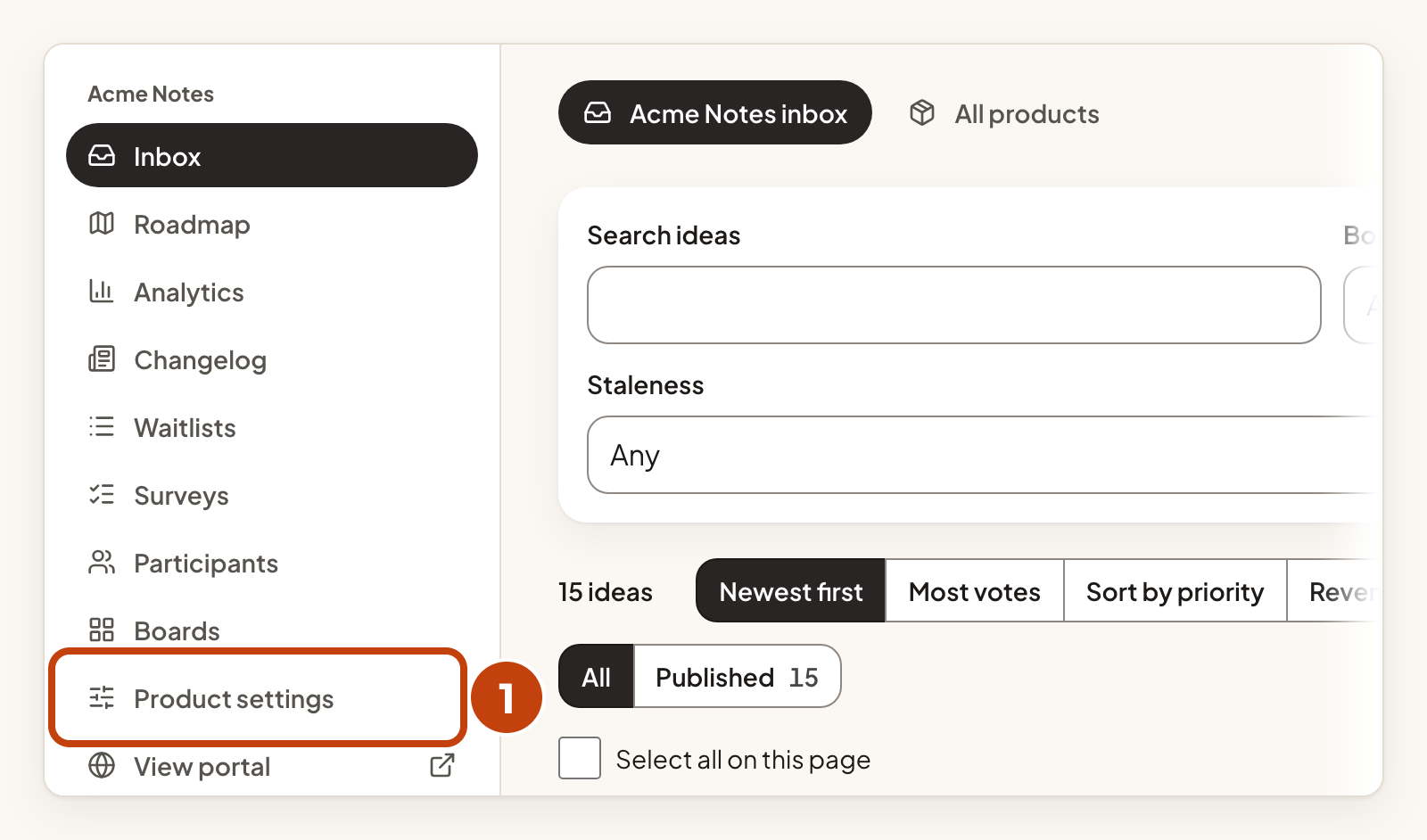
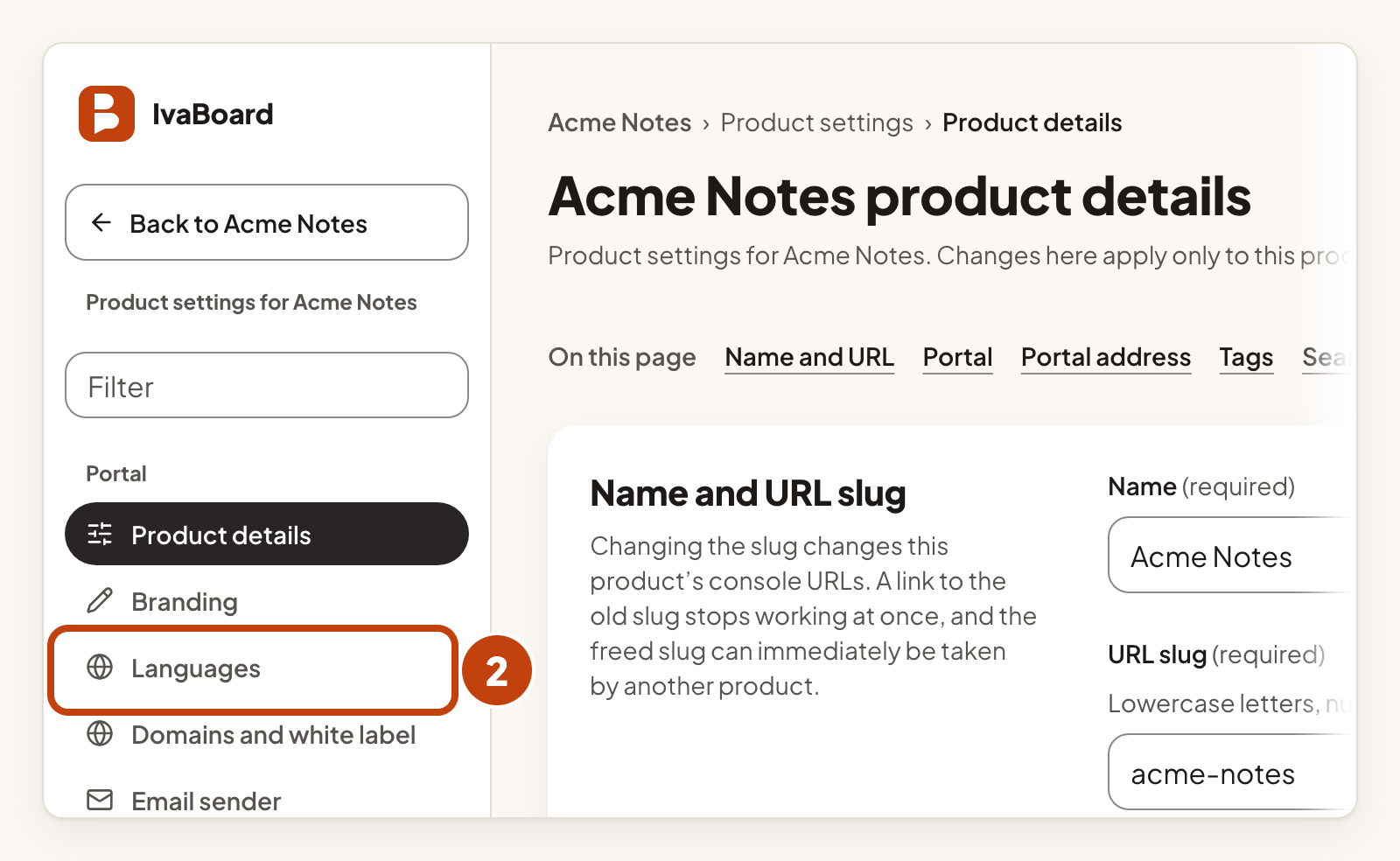
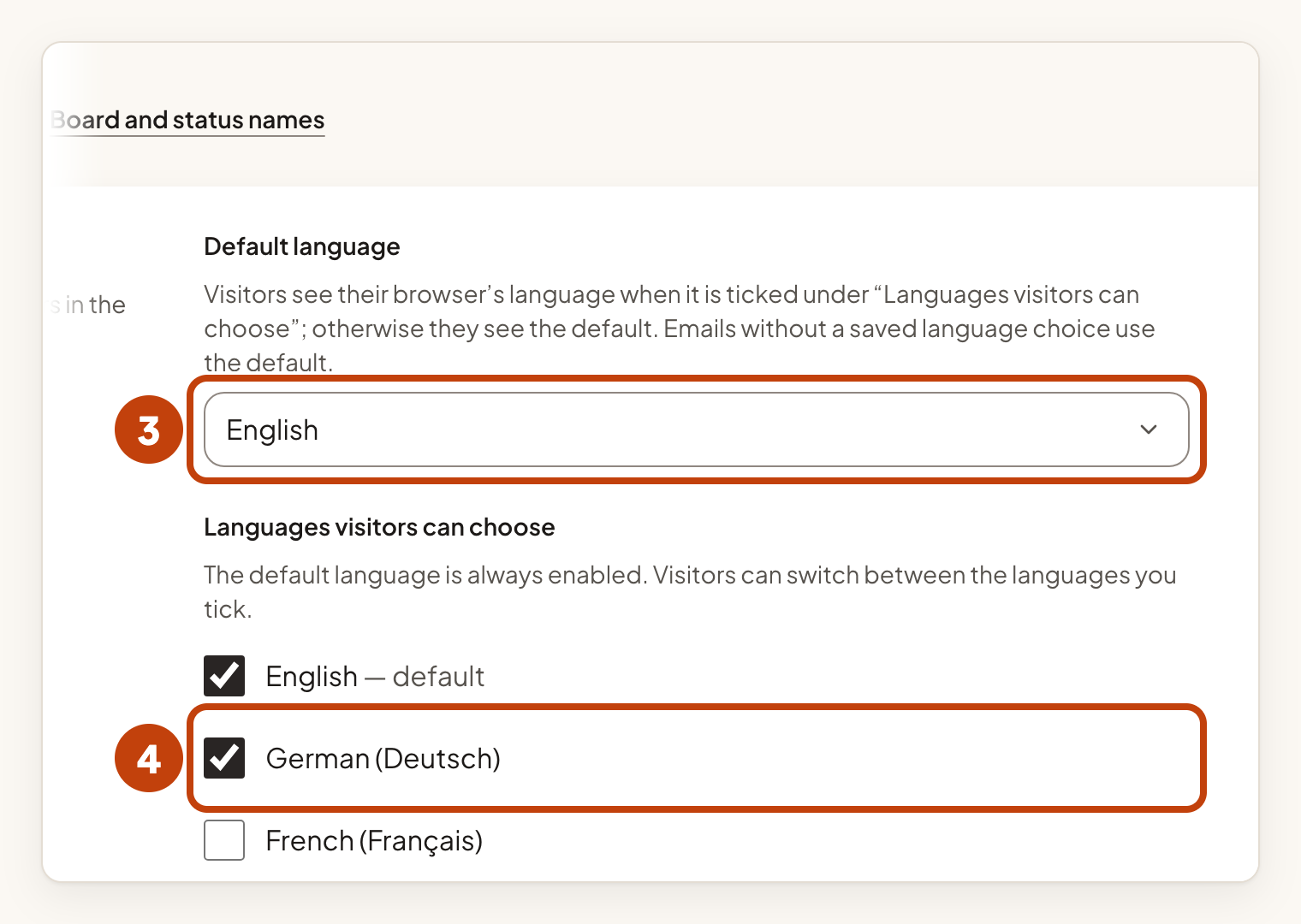
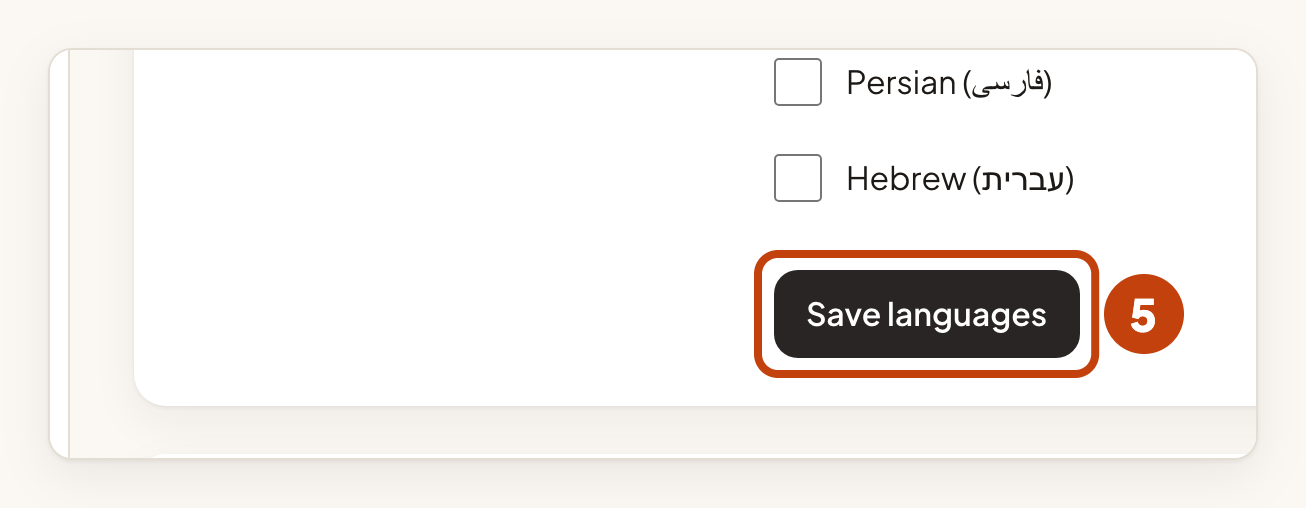
The default language is always on. The language menu appears once two or more languages are on. Visitors whose browser uses a language you have turned on see the portal in that language.
Emails follow the language each person chose. Emails without a saved choice use the default language.
Name your boards
You can name boards in another language once that language is on.
- In Boards, type a name in the box for each language.
- Select Save board names.
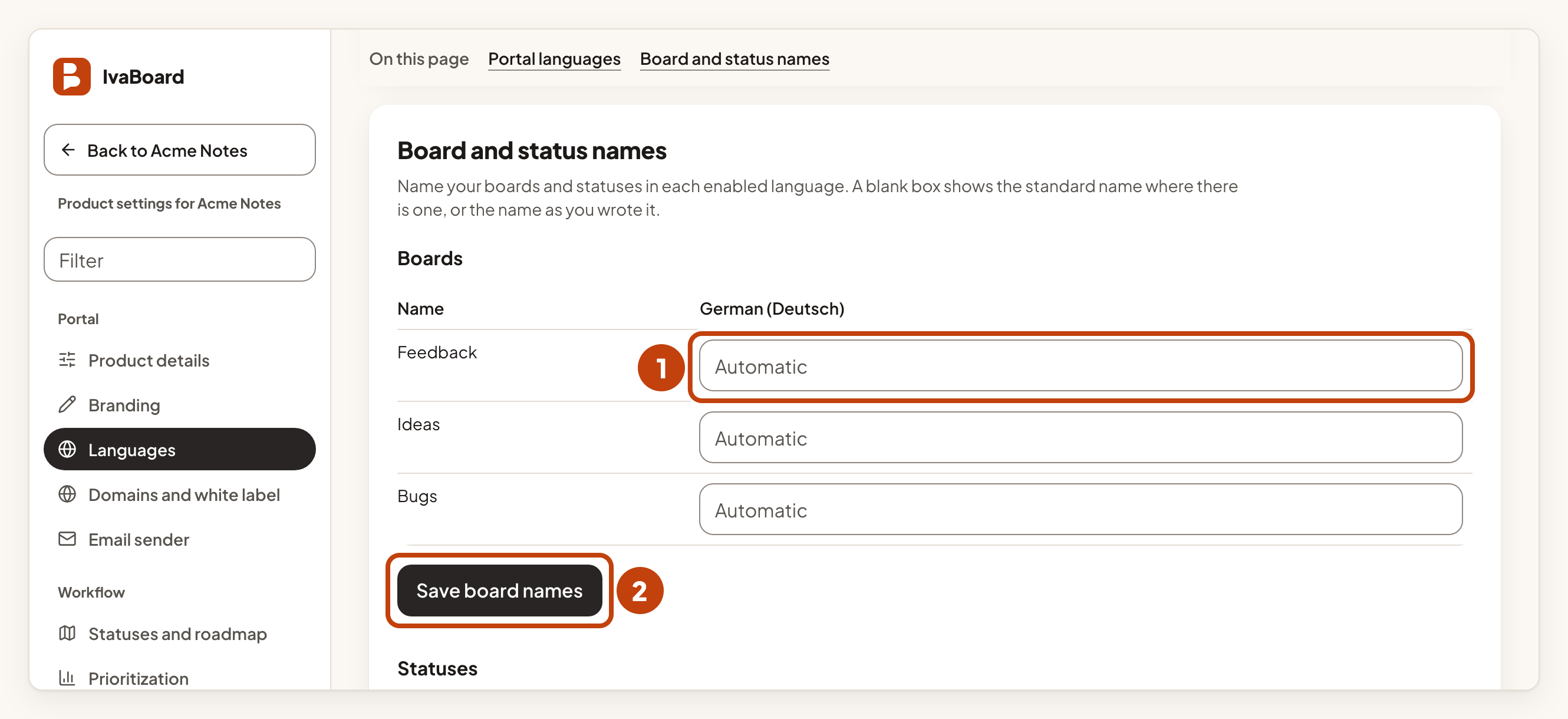
A blank box shows the standard name where IvaBoard has one. Otherwise it shows the name as you wrote it.
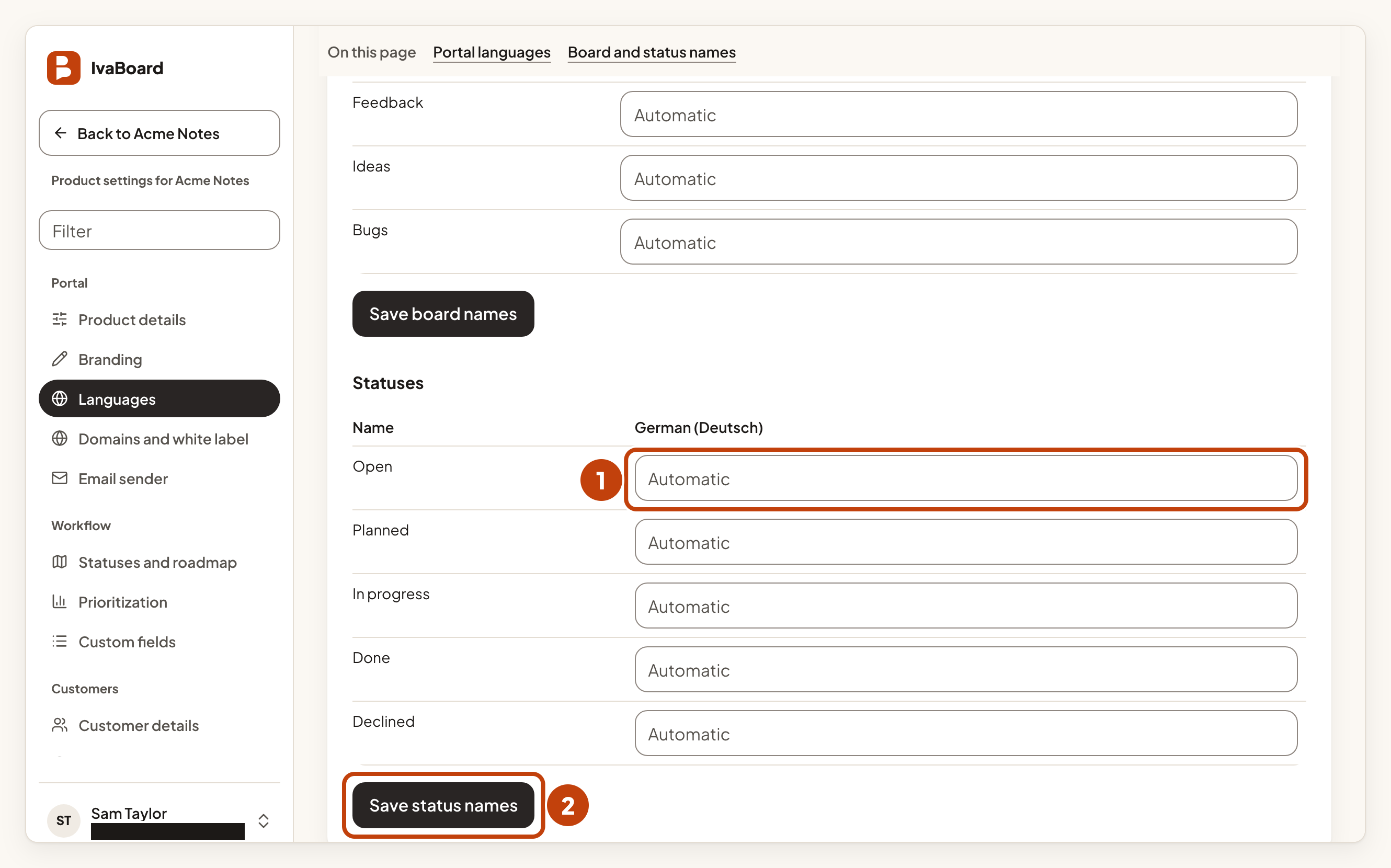
Name your statuses
- In Statuses, type a name in the box for each language.
- Select Save status names.
What is not translated
Only the wording that IvaBoard and you provide changes. What people write, such as ideas, comments and changelog entries, appears as written. The team console stays in English.
Which languages are reviewed
English is the source language. Romanian was reviewed by a native speaker on our team. German, French, Spanish, Portuguese for Brazil and Italian were translated with AI tools and reviewed by AI. The other 20 languages were added on 28 October 2026. They were also translated with AI tools and checked by AI. No native speaker has checked any of these 25 languages yet. If a phrase reads wrongly, contact us.
Example
For example, Acme Notes sets Default language to English, ticks German (Deutsch) under Languages visitors can choose, and selects Save languages. A visitor whose browser is set to German now sees the portal in German.
