A client mentions a broken form in an email. Another sends a feature idea after a meeting. A third leaves feedback in a shared document. When you manage several WordPress sites, the hard part is often finding the context again when someone is ready to act.
A simple feedback workflow gives each request a home, records which site it belongs to and makes the next step visible to your team and your client.
Give each site a clear home for feedback
Choose one place where a client can submit requests for each site. Add a link to it in your onboarding email, client portal or regular project updates. Tell the client what belongs there and how often your team reviews new requests.
Keep each client’s requests separate enough that your team can immediately see which site is affected. That might mean a dedicated product or board for each client. For sensitive work or clients with separate agreements, consider separate workspaces and review who has access to each one.
Example: three client sites
An agency works with a restaurant, a training provider and a local retailer. Each client has its own feedback destination. A request about the restaurant’s booking form stays with that site, a suggestion for the training provider’s course page goes to its board, and an idea for the retailer’s product filters goes to the retailer’s board. The agency can review all three without asking which website each request concerns.
Ask for the context your team needs
A useful request is easier to understand without a second email. Ask clients for the affected page URL, what happened and what they expected to happen. A screenshot or device and browser can help when the issue is visual or difficult to reproduce.
Keep the form short enough that people will use it. Your team can add an owner, priority and next step during review. Remind clients to leave passwords, payment details and other sensitive information out of the request.
Choose who can see each request
Agree on visibility before inviting clients. A public board suits ideas you are happy to discuss openly. A restricted board can limit access to chosen customers or verified email domains. A private board is for the team’s own internal work.
Check the audience before posting or moving a request. When a client needs to share confidential details, use the secure channel you already agreed on and keep the public summary general.
Review requests and route them to the right work
Set a regular review time and give someone ownership of the inbox. Confirm the site and the request, ask for missing context, and check whether a similar idea already exists. If two requests describe the same need, link the conversations to the same decision so neither person is forgotten.
Separate urgent support from ideas for future improvements. A checkout that fails needs your support workflow and a response based on its urgency. A suggestion to improve product filters may need discussion, prioritisation and scheduling. A feedback board helps you see the request’s progress while your team uses its usual support and delivery tools to do the work.
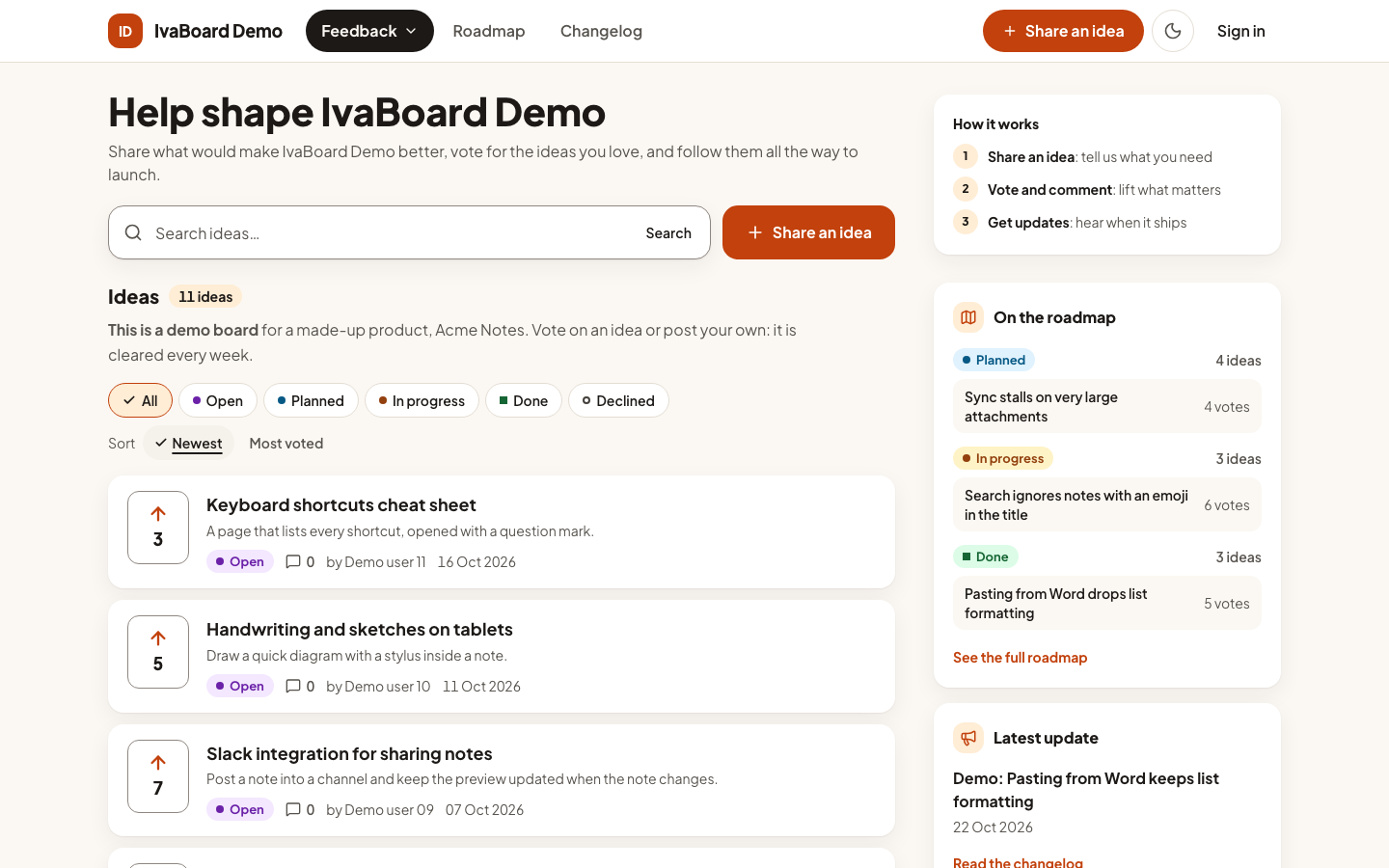
Close the loop with the client
After review, tell the client whether you need more information, have planned the work or have decided not to take it forward. Set a realistic expectation for updates, even if the next update is simply that the request is still being considered.
When work ships, explain what changed in plain language and link to the update. A short note helps clients see that their feedback reached the people making decisions.
A request template you can reuse
Share this prompt with clients to make the first report easier to act on.
Tell us about your request
Website or page URL:
What happened:
What did you expect to happen?
Screenshot or device and browser (if helpful):
Bring feedback together with IvaBoard
IvaBoard gives teams a place for feedback boards, votes, a roadmap and a changelog. Agencies can organise multiple products in a workspace and share the appropriate portal with each client.
